


- Executive Snapshot: Top & Best Dashboard Solutions for US buyers
- Trending Features in Dashboard Development
- Proven Strategies that Increase Dashboard Adoption & Revenue
- Key statistics every exec should know (benchmarks & ROI metrics)
- Ideas and Examples: Best Dashboard Development Concepts by Industry
- Dashboard Development Services vs Dashboard Development Company vs In-house: A Clear Comparison
- Cost & pricing models: how vendors charge (and how to estimate)
- Outsourcing & White-Label Options: Contracts, IP & Go-To-Market Strategies
- A Tactical Case Study
- Vendor Selection & Security Checklist For Dashboard Development
- Implementation Strategies and 90-Day Technical Playbook
- Examples of KPIs and Dashboard Templates
- Expert Advices for Developing a Premium Business Dashboard
- Conclusion
- Frequently Asked Questions on Dashboard Development Cost and Top Companies in the USA
Ready to transform your vision into reality?
Get Started
Premium Dashboard Development Guide: Top Services, Cost and Checklist
 136
136
 0
03 Nov 2025
Min Read
0
03 Nov 2025
Min Read


 Share
Share

 Download PDF
Have you ever felt like you are drowning in a sea of numbers, reports and spreadsheets that don’t talk to each other or you? That’s what you experience when operating without a premium dashboard. It is completely messy, stressful and time-consuming
Having a well-built dashboard will help organize your data. Moreover, it will help spot trends and track the company’s performance, helping make real-time decisions. However, not all dashboards are created equal. Some take a longer time to build, while others are very expensive and complex.
That’s why you should know what services and features to expect that would help budget the dashboard properly.
This blog will help you when planning to invest in premium dashboard development. It will become your roadmap to investing in something that works and eliminates the chaos within the business.
Executive Snapshot: Top & Best Dashboard Solutions for US buyers
Making the right dashboard choice can be difficult with the many options available in the market. Here’s a quick snapshot of the top solutions popular with US businesses that will help you choose the right solution:
Quick Comparison Table
|
Dashboard Solution |
Best For |
Key Features |
Pricing (Approx) |
US Popularity |
|
Tableau Enterprise |
Enterprises |
Advanced analytics, integrations and visualization |
$70 per user per month |
Very high |
|
Power BI |
Scale-up |
Microsoft ecosystem, real-time reporting |
$20 per user per month |
High |
|
Klipfolio |
Startup/SMB |
Custom dashboards, cloud-based |
$49 per month |
Medium |
|
Looker |
Enterprise |
BI and Data-modeling, Collaboration |
Need to get in touch pricing |
High |
|
Databox |
Startup/Scale-Up |
Mobile-first dashboards, metrics tracking |
$49 per month |
Medium |
How to Pick the Best for Your Business Stage?
Here we will take you through the tips that will help you pick the top dashboard for your business stage:
Startup
If you are getting started with your business, you need something affordable, usable and cloud-based that makes it accessible. Built-in templates can help save time and track the most important metrics. Moreover, mobile devices help you access data from wherever you are.
Scale-up
As a growing business, you need dashboards that can integrate with CRM, marketing and finance systems. Also, look for automation features to cut down manual reporting and manage more data. It also fosters team collaboration using customized views.
Enterprise
In the case of large organizations, you get advanced analytics and AI-backed insights. These dashboards can scale, while offering enterprise-grade security. It can also support multiple users while offering strong vendor support.
Trending Features in Dashboard Development
US teams need dashboards that do more than display the data. They need tools that deliver data-backed insights, improve efficiency and adapt to the workflows. Let’s look at the key features needed in your premium dashboard development:
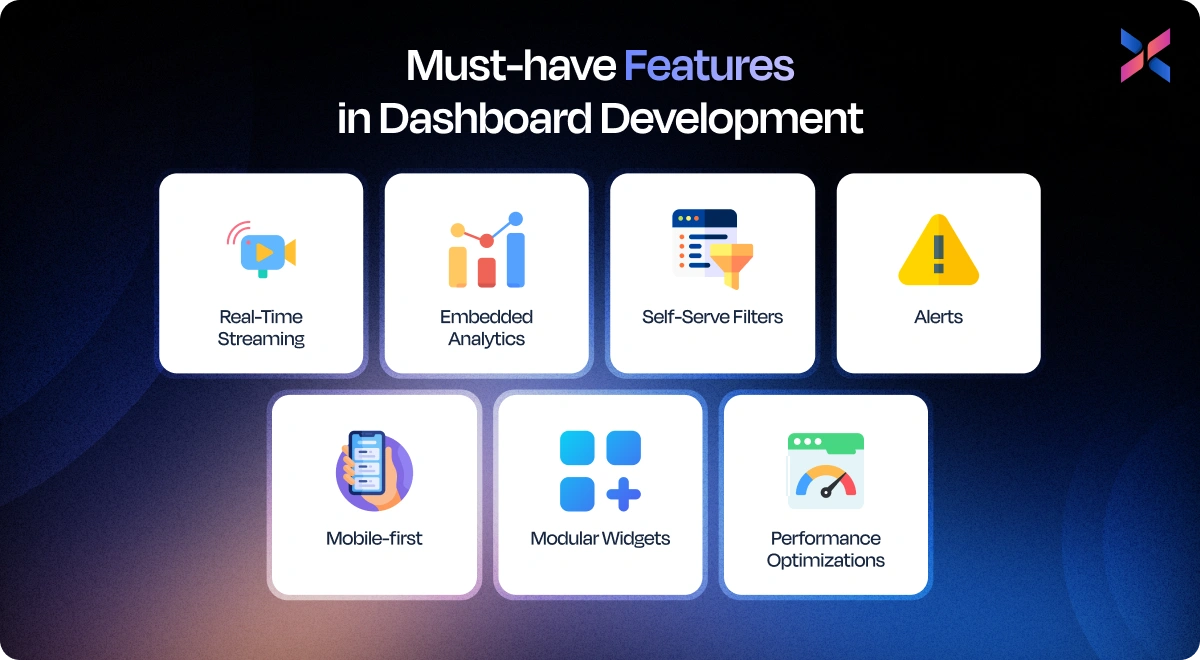
#1. Real-Time Streaming, Embedded Analytics, Self-Serve Filters, Alerts
With real-time streaming, your teams can monitor the live data and react to changes immediately. This helps make decisions using the current information. Embedded analytics allows you to integrate insights into the existing tools in your business to improve efficiency and reduce context switching.
Self-serve filters help your teams explore the data and analyze trends without IT support. Lastly, the alerts and notifications ensure you are aware of critical changes and anomalies instantly. Consequently, you would be able to make proactive decisions and minimize risks.
#2. Mobile-first, Modular Widgets, and Performance Optimizations
Mobile-first dashboards make insights accessible, which is useful for teams who are always on the go or working remotely. Modular widgets can help customize dashboards for the diverse roles and departments without rebuilding the interface.
Performance optimization improves load times, makes queries efficient and offers caching to deliver a smooth and reliable user experience. This can ensure that your performance remains consistent even when datasets grow, allowing teams to stay productive and focused.
When you focus on these features, you can build dashboards that are visually compelling, fast and flexible.
Proven Strategies that Increase Dashboard Adoption & Revenue
Building the dashboard is half the battle won. However, the other half depends on the strategies your team use to benefit from the dashboards. These strategies can also help you drive measurable revenue growth. Here are all the strategies you can use:
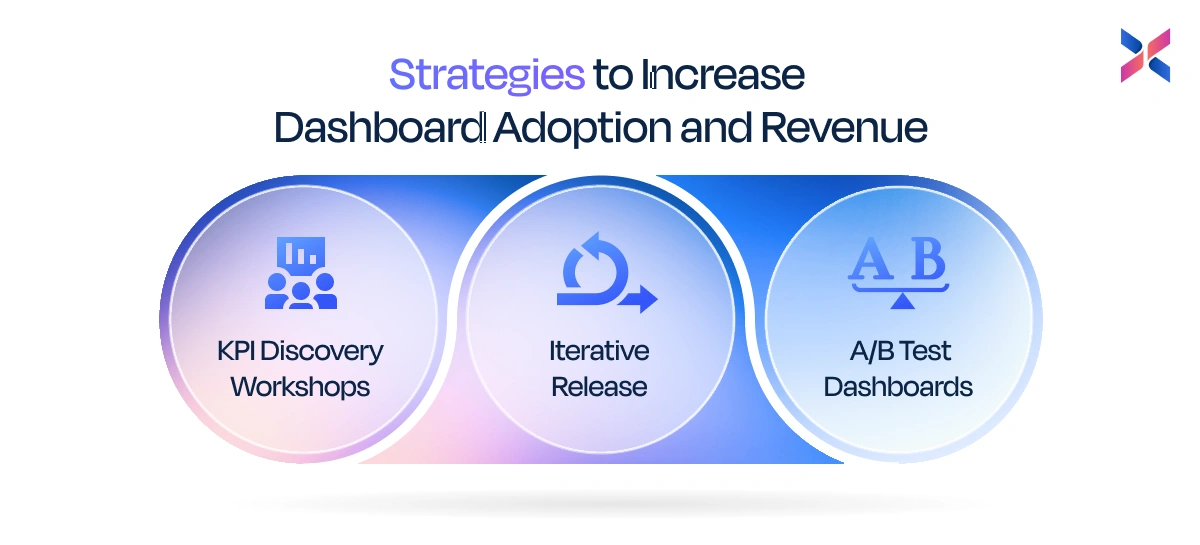
KPI Discovery Workshops → Iterative Release → A/B Test Dashboards
The first step involves knowing what are termed critical metrics for your stakeholder’s team, which you will find in the KPI discovery workshops. This is when you align dashboards to your goals. Next is an iterative release. In this case, you will be building a fully polished dashboard from the start. At the same time, you will release smaller versions of the dashboard, get users’ feedback and keep refining the solution.
With this approach, you can create a usable dashboard that multiplies user adoption while minimizing risks. Lastly, you must conduct A/B testing of the dashboards that will allow organizations to experiment with layouts, metrics and visualizations. It will help you deliver versions that drive maximum engagement. When you ensure a dashboard that evolves with needs, your teams are more likely to adopt it.
Productizing Insights: How Dashboards Drive Upsell, Retention & ARPU?
Dashboards are tools that can help you track performance and influence business revenue. Teams can find more about upsell opportunities using these insights. This can help improve customer retention and increase the average revenue per user.
The sales and customer success teams can use the real-time data to improve marketing campaigns and create more on current engagement trends. Additionally, the executives can prioritize the different initiatives using solid insights.
By making dashboards an integral part of decision-making, you convert them into revenue-generating assets for your business.
You must combine a structured rollout process with a focus on monetizable insights to maximize adoption and improve business performance.
Key statistics every exec should know (benchmarks & ROI metrics)
Your team needs more than compelling visuals to interpret the numbers better and make the dashboard impactful. Here are all the right benchmarks and ROI metrics that help make informed decisions and a stronger buy-in:
Time-To-Insight, Query Latency, Adoption %, Retention Uplift Examples
Using time-to-insight helps measure how soon your users can access the data and use them. When you have a top-performing dashboard, it reduces this time to minutes instead of hours. Query latency helps determine the system’s efficiency. If you have a sub-second or low-second response time, you will notice it helps you stay productive.
Adoptive percentage helps track the number of team members using the dashboard actively. Retention uplift examples help understand the tangible impact of the dashboard. This could be in the form of customer retention or repeat purchases that have been directed by insights available from the dashboard.
Using these statistics, you get a clear picture on the operational efficiency and business outcomes.
Simple Formulas to Calculate Dashboard ROI For Stakeholder Buy-In
You don’t need to follow complex formulas to calculate the ROI. Here are some simple formulas that help determine the returns better.
ROI% = (Revenue Impact-Dashboard Cost) + Dashboard Cost *100
Efficiency Gains = Hours Saved * Average Hourly Cost
Ideas and Examples: Best Dashboard Development Concepts by Industry
Dashboards work well when you tailor them to meet the unique needs of the industry. Here are 12 practical dashboards across the SaaS eCommerce and Operations industry, complete with KPIs and layout ideas:
#1. SaaS: Activation Funnel Dashboard (example KPIs & layout)
If you are a SaaS company, your dashboards should track user engagement, product adoption and revenue metrics that help improve growth and retention while reducing churn. Here are the top dashboard types of your SaaS business
Activation Funnel Dashboard
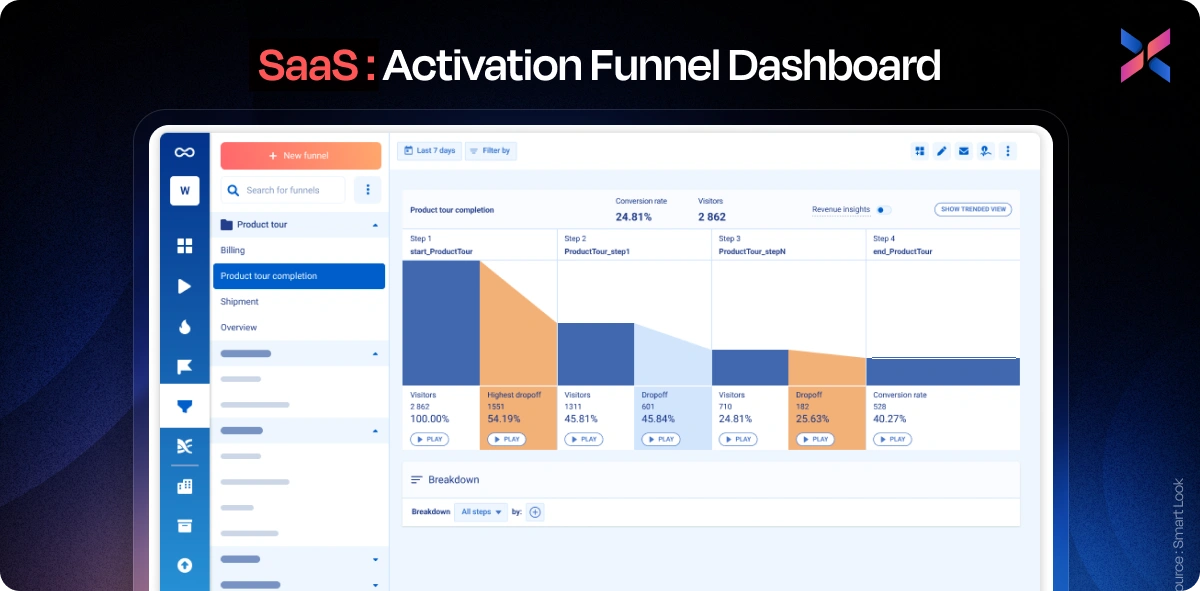
Using an activation funnel dashboard, you can track how new users move from the sign in to their first action on the application. KPIs for this dashboard include activation rate, time for the first action, feature adoption and sign-ups.
The funnel charts, heatmaps and trend lines tend to help you determine the drop-off points, help teams improve their onboarding and accelerate activation. All this promotes long-term engagement.
Churn & Retention Dashboard
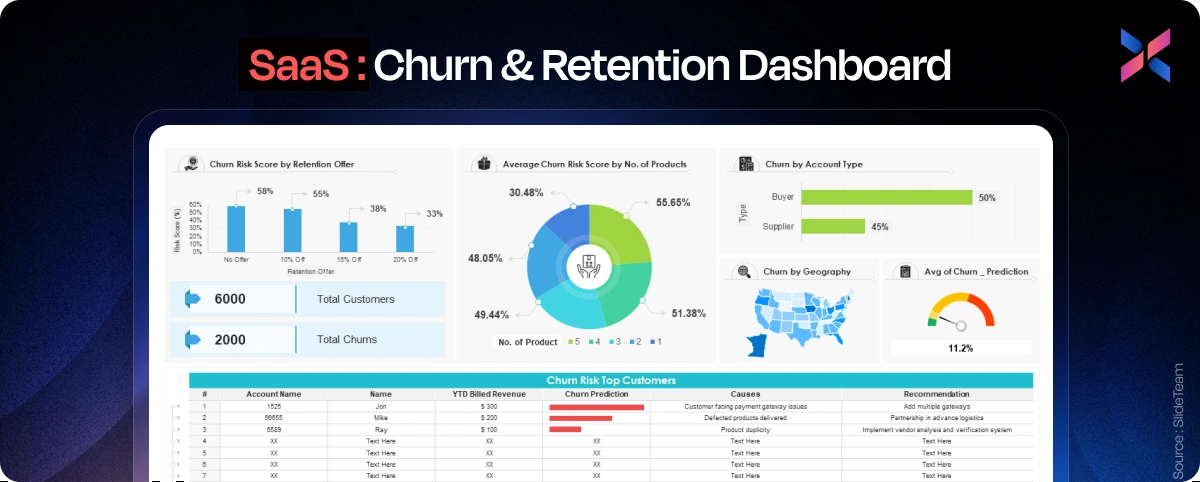
This dashboard helps you monitor the retention trends along with at-risk segments. The KPIs for the dashboard are monthly churn, cohort retention, renewal rates and lifetime values.
They offer the retention curves and cohort heatmaps that help determine issues faster, reduce churn and improve loyalty for revenue stability.
Revenue & ARR Dashboard
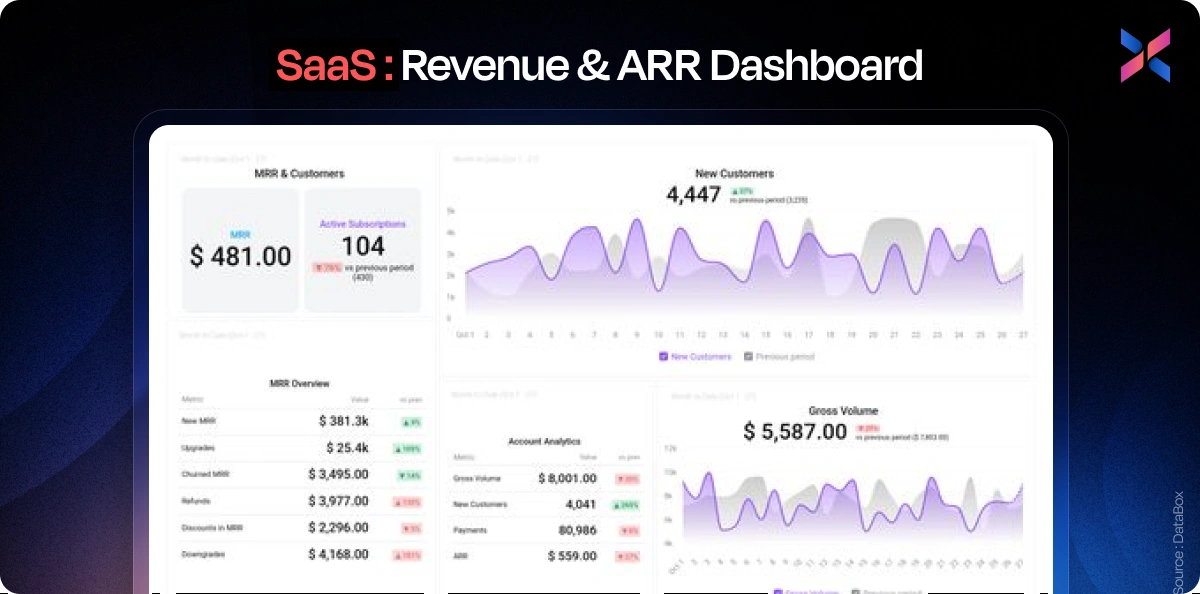
With this dashboard, you can visualize the revenue metrics like MRR, ARR and expansion vs contraction revenue. Your KPI and trend charts can help track growth, identify upsell opportunities and make informed decisions regarding strategies.
Product Usage Dashboard
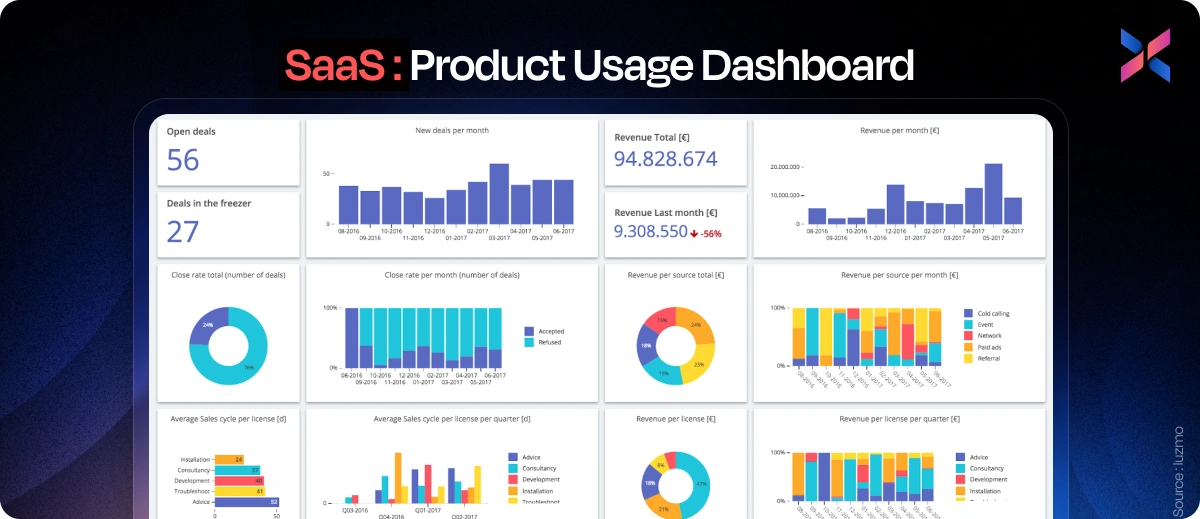
This dashboard tracks feature adoption, session frequency, engagement duration and active users for the SaaS application. Your product teams will be using heatmaps and trend charts to optimize features, improve engagement and reduce churn. It helps align development with user behaviour.
#2. E-commerce: Revenue-Attribution Dashboard (example widgets)
The eCommerce teams rely on dashboards to monitor the customers’ behaviour, marketing returns and sales performance. Using these dashboards, your team can improve revenue and optimize operations:
Revenue-attrition Dashboard
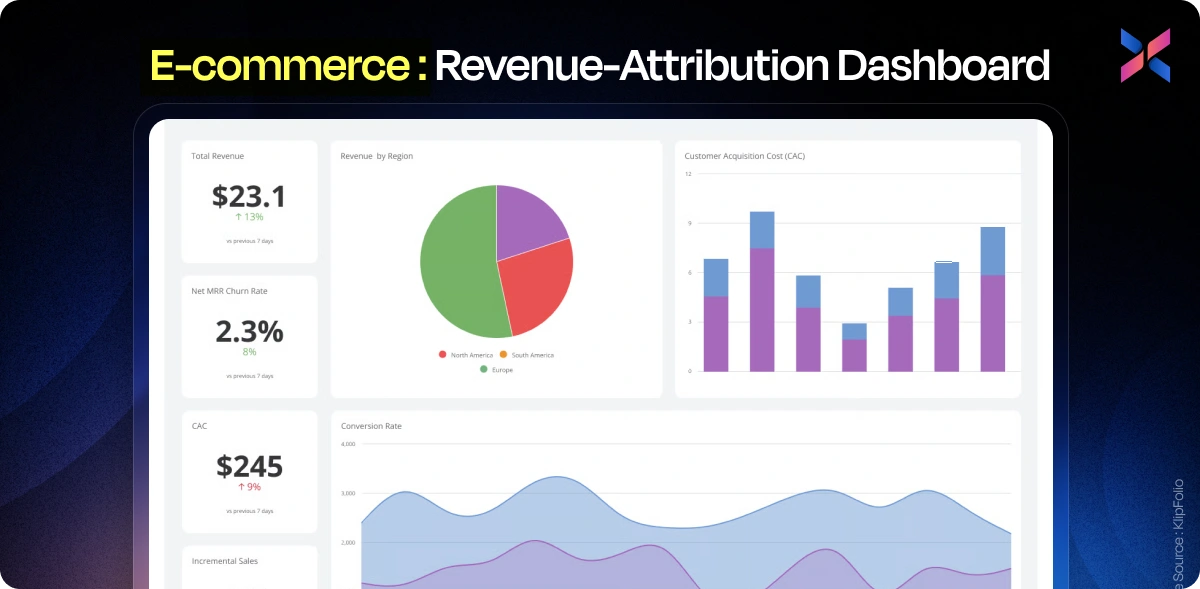
This dashboard helps track revenue across all marketing channels. You will be tracking KPIs like sales per channel, conversion rates and average order value. The dashboard gives visuals like stacked bar charts, trend lines and KPI tiles to understand the top-performing campaigns and improve your spend.
Customer Segmentation Dashboard
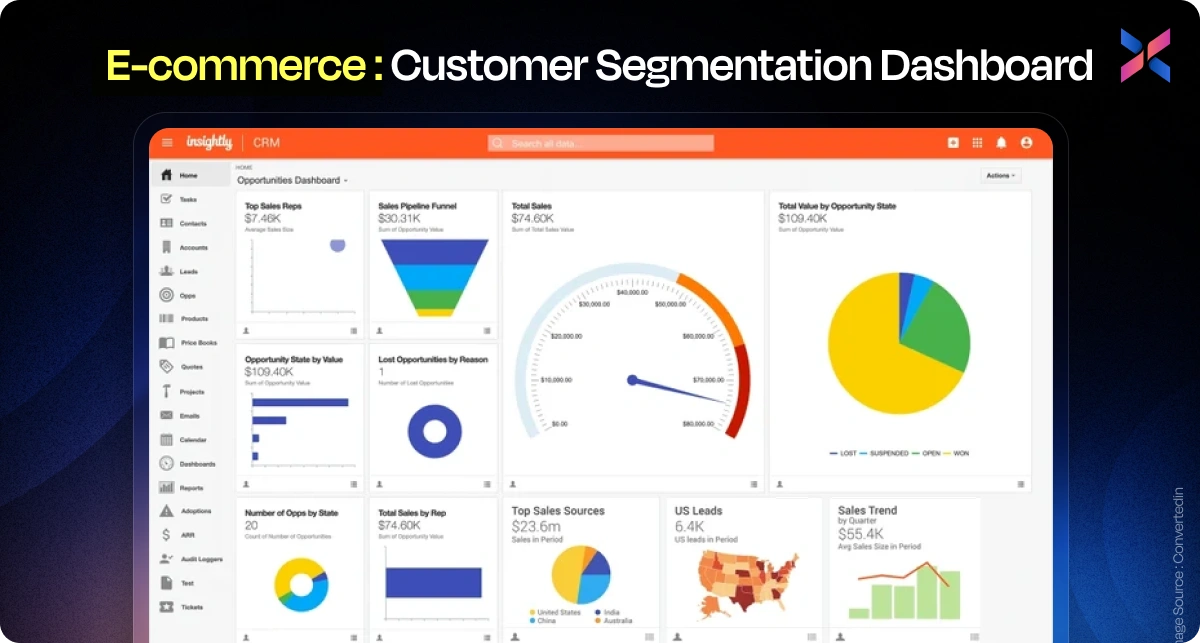
Using this dashboard, you can visualize the performance of your business across diverse customer segments. For this, you will be tracking the KPIs like segment revenue, engagement, repeat purchase rate and lifetime value. View bar charts, pie charts and cohort tables that help personalize campaigns and improve retention.
Inventory & Demand Dashboard
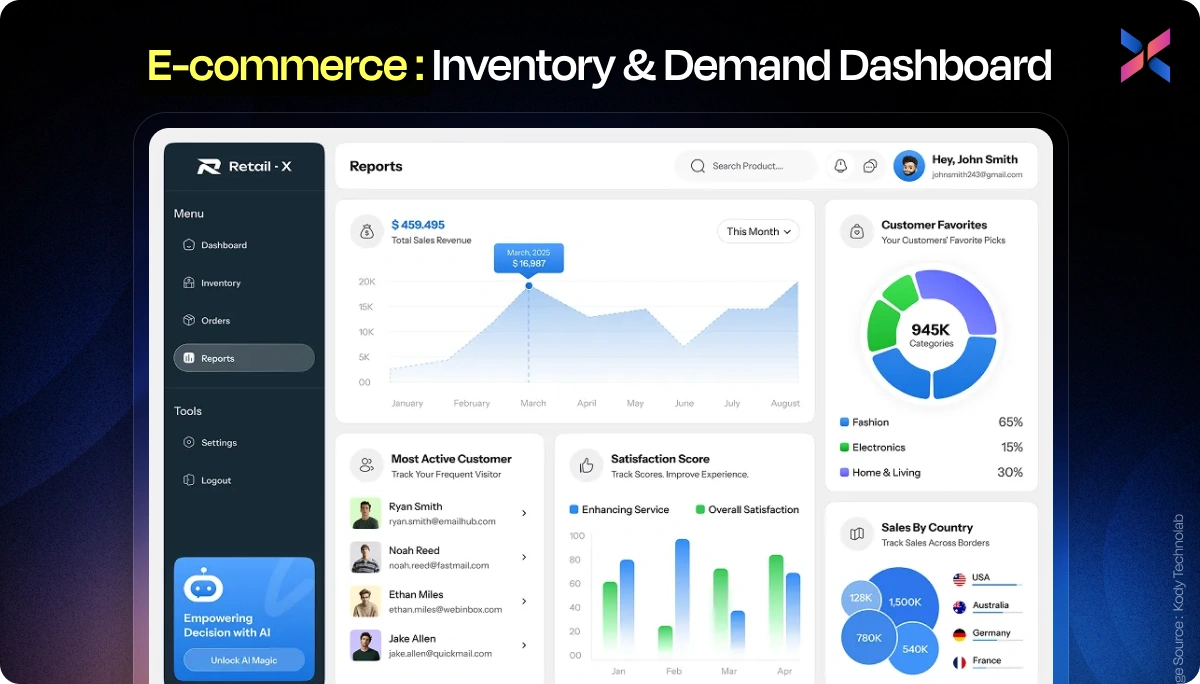
Track stock levels, demand forecasts and sell-through rates with this inventory and demand dashboard. You can use tables, heatmaps and trend charts that can help reduce stockouts/overstocks, improve replenishment rate and even enhance operational efficiency.
Marketing Campaign Dashboard
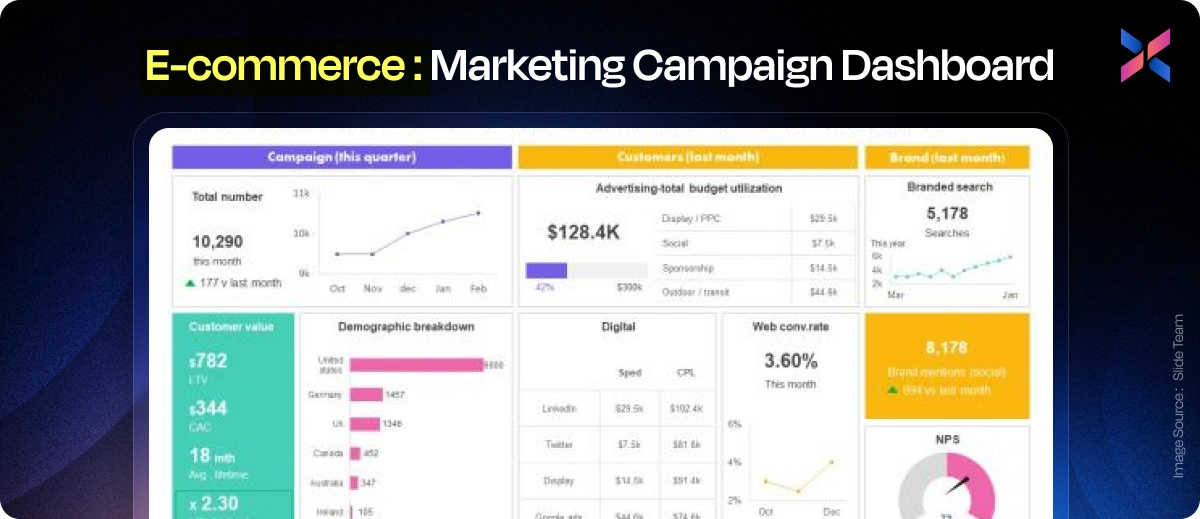
You can monitor click-through rates, conversions, cost per acquisition and ROI per campaign using the dashboard. Using funnels, KPI tiles and trend lines, you can let marketing teams measure campaign effectiveness while allowing you to adjust strategies in real-time.
#3. Ops & Field: Fleet/Repair Dashboard Example
Your operations and field teams can use dashboards to monitor assets, compliance and productivity. They can enable improved efficiency and decision-making:
Fleet/Repair Dashboard
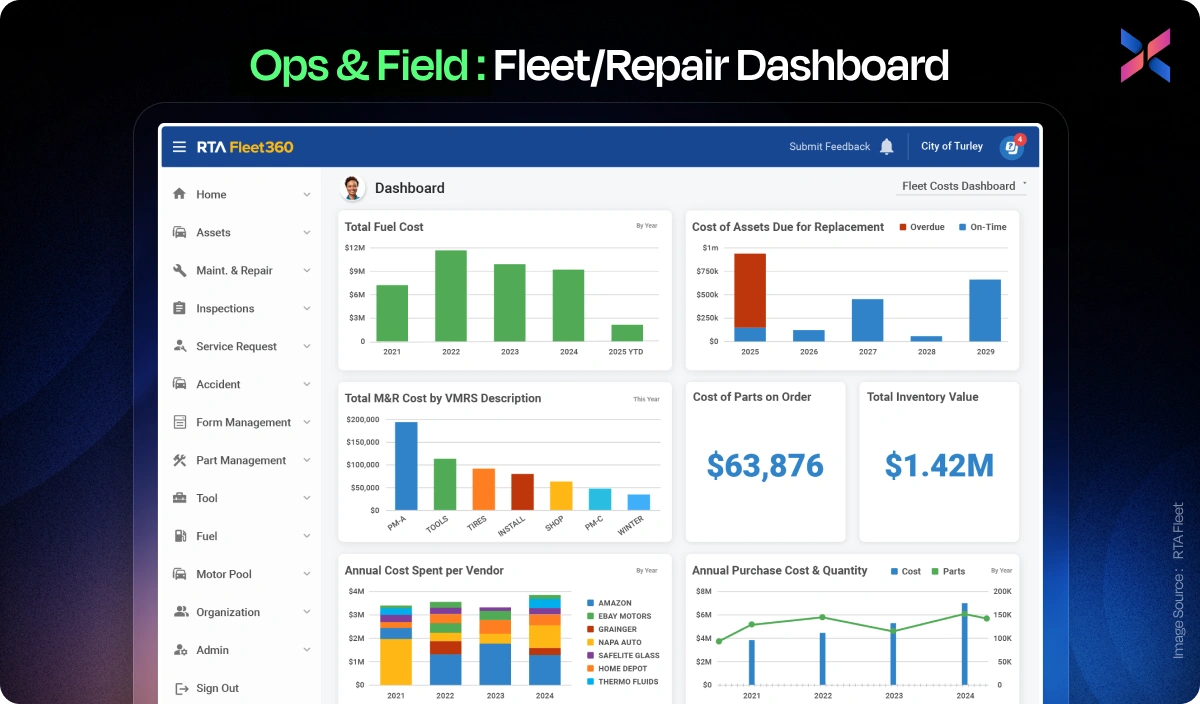
Using this dashboard, your operations team can track the vehicle’s location, maintenance schedules, repair time and even fuel efficiency. The dashboards offer maps, KPI tiles and trend charts to reduce downtime, improve scheduling and optimize fleet performance.
Field Workforce Productivity Dashboard
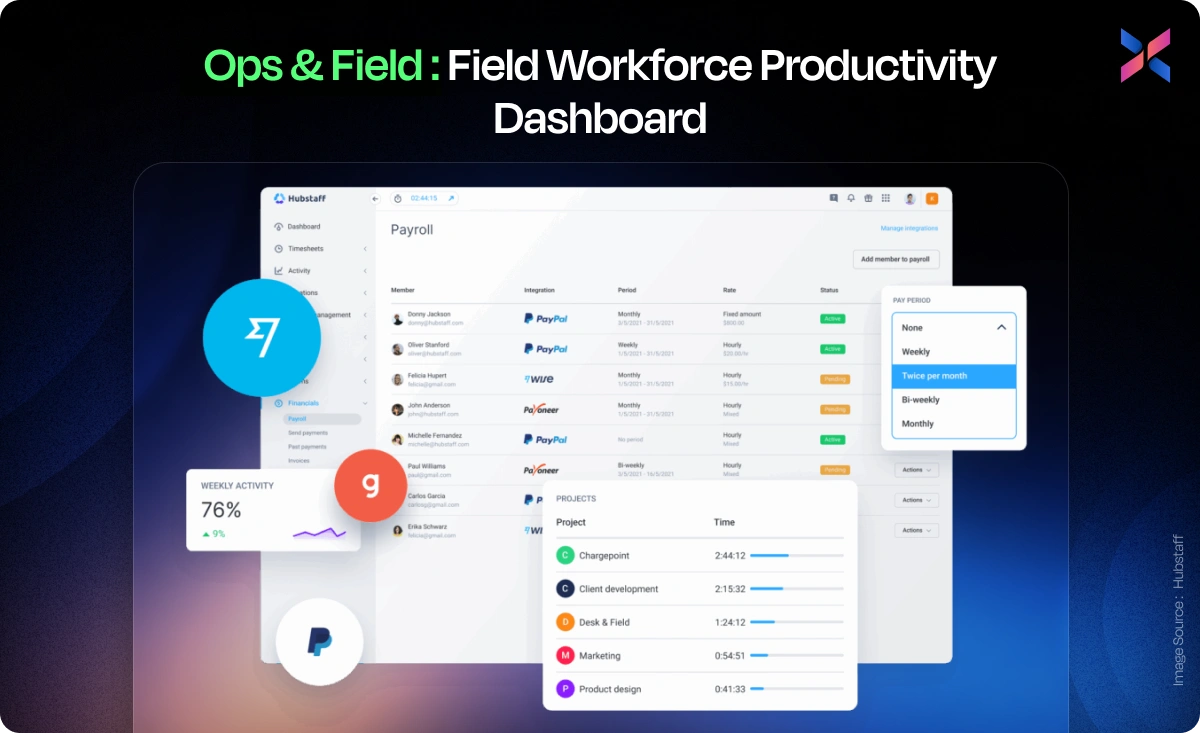
This productivity dashboard helps measure tasks your team has completed, the average time taken to complete the task and coverage. They can use charts, maps and KPI tiles to optimize resource allocation and boost team productivity.
Maintenance & Equipment Health Dashboard
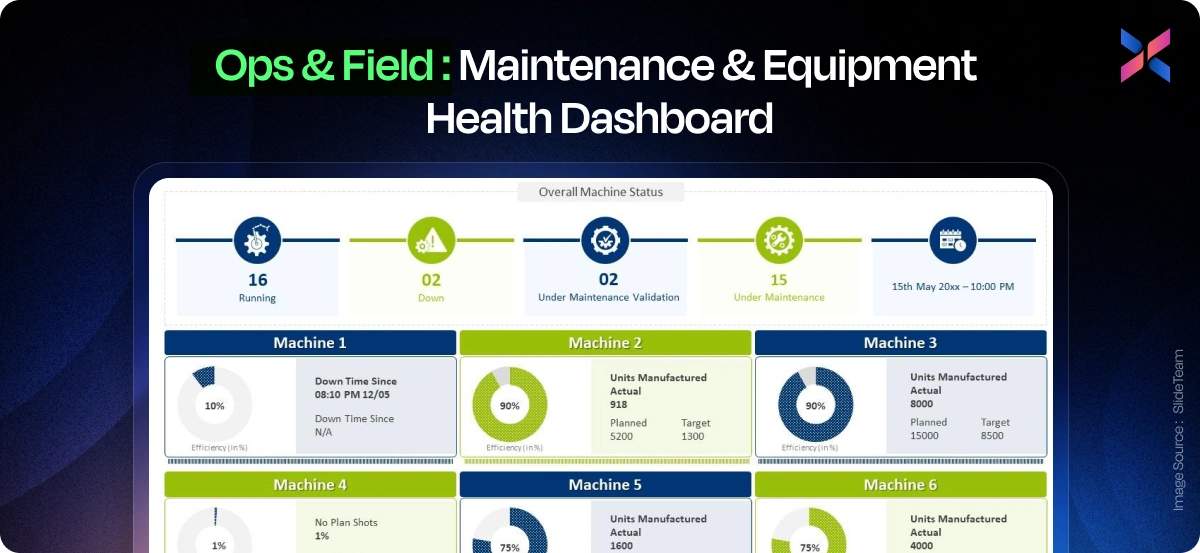
This dashboard helps track downtime, preventive maintenance, compliance and failure rates. With trends, heatmaps and KPI tiles to schedule the maintenance and reduce operational disruptions.
Logistics & Delivery Dashboard
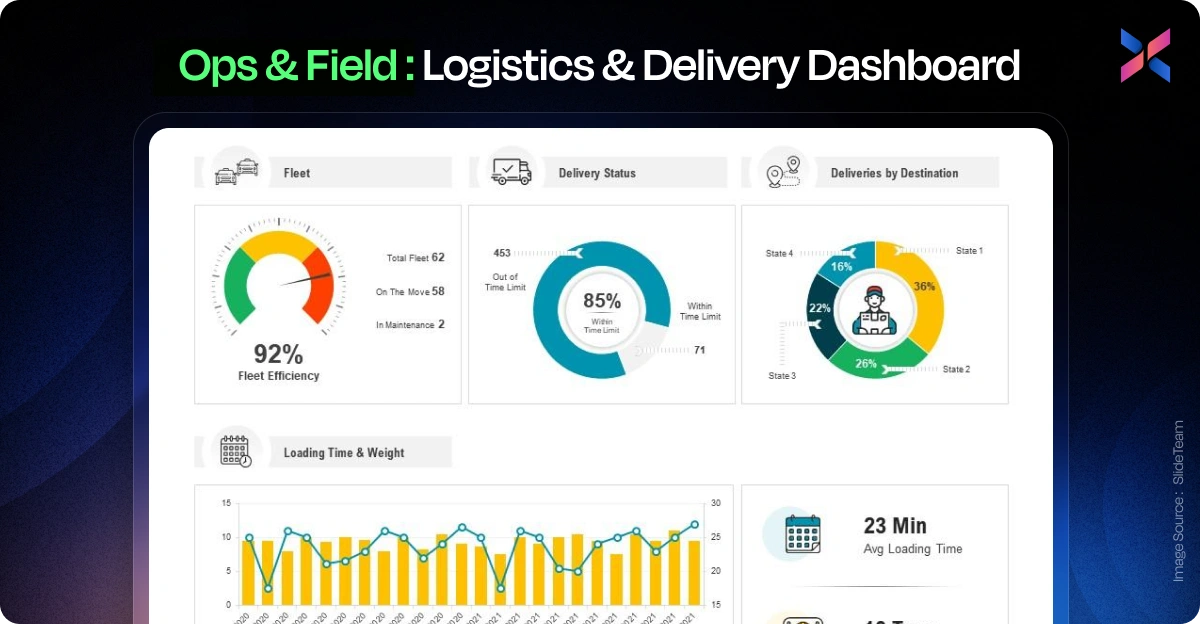
The dashboard helps monitor on-time delivery rates with route optimization and shipment tracking. They use maps, KPI tiles and trend lines to gain insights into the operations and streamline logistics while reducing delays and enhancing customer and satisfaction.
Dashboard Development Services vs Dashboard Development Company vs In-house: A Clear Comparison
When choosing the right approach for dashboard development, you must balance speed, cost, control and quality. For both models, hiring the company vs going in-house, you need to assess them across factors.
Pros & Cons Table (speed, cost, IP, control, quality)
|
Factor |
Dashboard Services |
Dashboard Development Company |
In-house Team |
|
Speed |
Faster turnaround time with reusable frameworks |
Moderate turnaround time, depending on the project scope |
Slow because of hiring and setup |
|
Cost |
Budget-friendly services, best for short-term goals |
Higher upfront costs, offers full project support |
Highest because of salaries, tools and overheads involved |
|
IP Ownership |
Shared and limited |
Full ownership via contracts |
Complete ownership |
|
Control |
Moderate, depends on the project |
High collaboration and customization |
Full control available |
|
Quality |
Varies according to the chosen vendor |
Consistent and specialized expertise |
Depends on the internal team’s maturity |
When To Outsource, When To White-Label, When To Build In-House
You must outsource if you are a startup or a team needing quick MVP dashboards. You can work it out without hiring full-time developers. If you are a SaaS company or agency that wants to resell branded dashboards without reinventing the wheel.
You can build in-house if you are an enterprise managing sensitive data or need full customizations with tighter integrations.
Ultimately, your decision should align with the maturity of your business, the project’s complexity and how you aim to visualize critical data.
Cost & pricing models: how vendors charge (and how to estimate)
Understanding the pricing involved in dashboard development helps plan better and avoid surprises.
Fixed-Price Vs Hourly Vs Subscription Vs Revenue-Share Models
|
Model |
Best for |
Pros |
Cons |
|
Fixed-price |
Small and clearly scoped projects |
Predictable budget, defined deliverables |
Less flexible for scope changes |
|
Hourly |
Ongoing and evolving projects |
Pay for the effort |
Harder to determine costs |
|
Subscription |
Continuous analytics or support |
Regular updates, predictable spend |
Long-term costs add up |
|
Revenue-sharing |
Startups with limited capital |
Low upfront costs |
Shared profits, long-term dependency |
Hidden Costs: Data Engineering, Integrations, Hosting, Maintenance
You must also factor in the costs for data cleaning, integrations and cloud hosting. These hidden expenses can take up 20 to 40% of the total project spend. You must clearly understand the ownership and support teams before proceeding with the contracts.
Outsourcing & White-Label Options: Contracts, IP & Go-To-Market Strategies
Outsourcing or white-label dashboard development can help you accelerate product delivery, scale faster and tap into markets without reinventing the wheel:
White-Label Playbook: Productizing Dashboards for Resale
White-label dashboards allow agencies, SaaS firms and analytics startups to resell pre-built solutions under their brand name. With this process, you can customize UI/UX, integrate client-specific data sources and add monetization layers to the software. With a strong go-to-market plan, you can also include demo assets, reseller pricing and client onboarding workflows.
Contract Checklist: SLAs, IP, Data Residency, Termination Clauses
Before you outsource to a third-party, you must review the SLAs, uptime commitments offered and response timelines. You should also define the Intellectual Property ownership, such as custom code. Make sure the data residency is in sync with GDPR and CCPA regulations. Lastly, include the termination clauses before handing over the protocols, source code access and post-project support.
A Tactical Case Study
A mid-sized SaaS company was struggling with fragmented data spread across CRMs, spreadsheets and cloud tools. This made reporting slow and error-prone, while compliance was challenging.
They used a centralized, end-to-end dashboard strategy where they prioritized critical KPIs to build a unified data model. They also designed audit-ready dashboards that supported finance, operations and product teams.
The solution was powered by Power BI for visualization, AWS Redshift for a centralized data warehouse and integrated APIs from Salesforce and Hubspot. They also used real-time connectors to ensure continuous updates.
As a result, the team was able to get real-time insights, which reduced the reporting time by 70%. The key KPIs they measured included MRR growth, churn reduction and operational efficiency. Eventually, they managed to achieve a 15% increase in their revenue using upsell and retention strategies.
This case highlights how a structured option, the right tech stack and seamless integration can convert fragmented data into actionable insights.
Vendor Selection & Security Checklist For Dashboard Development
Choosing the right development partner is much more than flashy demos. It is about sharing the same goal and their ability to deliver scalable solutions. This detailed checklist will help compare the vendors objectively and avoid expensive mistakes when hiring:
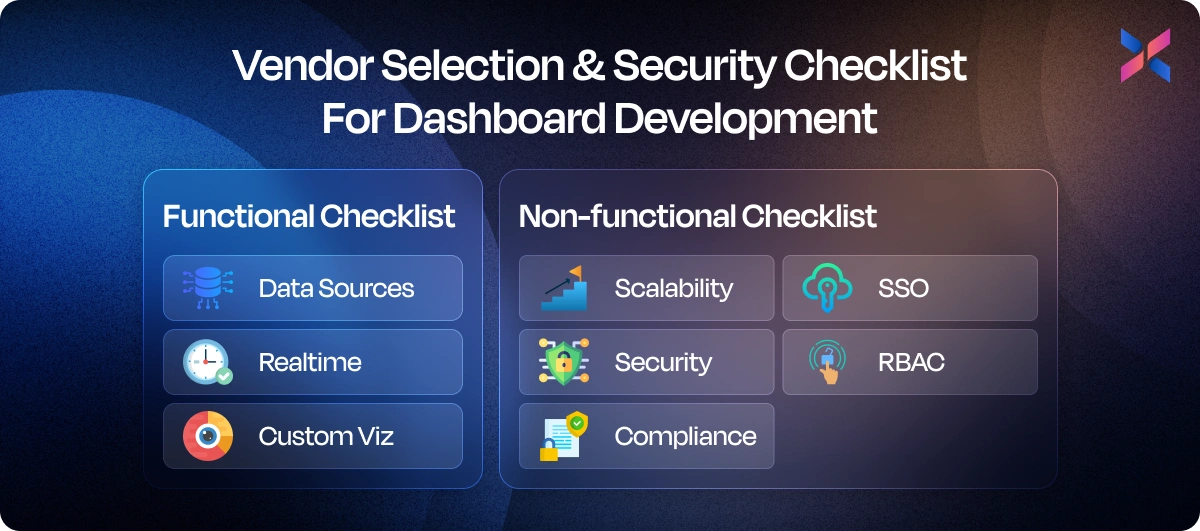
Functional Checklist (Data Sources, Realtime, Custom Viz)
You must start with the functional aspects. Understand if your vendor supports all the key data sources like SQL, databases, APIs and CRMs. Also, confirm if they have experience with real-time updates, as that is useful for live operational dashboards.
You should assess their capability to offer custom visualization like designing advanced charts, geospatial maps and interactive drill downs that are unique to your workflows. Lastly, check their integration abilities using tools like Power BI, Tableau and embedded BI frameworks
Non-Functional Checklist (Scalability, Security, Compliance, SSO, RBAC)
The other part is the non-functional checklist, wherein you assess the vendor beyond their features to know how they maintain enterprise-grade standards. Understand their architecture to know if it is scalable. Know if they can handle the growing data volumes or manage concurrent users. review their security measures, including encryption and audit trails. Lastly, you should ensure they adhere to compliance like GDPR, HIPAA and SOC 2. Also, ask them about Single Sign-on and Role-Based Access Control, which helps secure and structured access
Implementation Strategies and 90-Day Technical Playbook
A great dashboard is implemented strategically. You must follow a structure, ensure cross-team collaboration and define milestones to gain measurable outcomes and a successful deployment.
Our 90-day playbook breaks down this process into focused phases that go from concept design to ROI in a quarter. Each of these phases helps you manage discovery, execution, optimization and adoption of the application:
Week 0 to 4: Discovery, Data Model and MVP Dashboards
The first month is all about getting clarity about your idea. You must understand what is success, define appropriate data architecture and validate the prototypes for dashboards.
|
Focus |
Key Tasks |
Deliverables |
|
Discovery |
Identify the stakeholders, define KPIs and map decision workflows |
Business requirement document along with KPI catalog |
|
Data Model |
Audit the data sources, clean your data and design the pipelines |
Unified data schema, warehouse design |
|
MVP Dashboard Development |
Develop 2-3 high-priority dashboards for testing |
Interactive MVP for dashboards |
Week 5 to 8: Integrations, Performance Tuning, User Testing
After the initial kickoff of the project, your focus shifts towards technical aspects. You need to ensure seamless integration, maximum speed and usability.
|
Focus |
Key Tasks |
Deliverables |
|
Integrations |
Connect APIs, CRMs, ERPs and analytics tools |
Create fully integrated environments |
|
Performance Optimization |
Query optimization, backend tuning and caching |
Ensures app loads within 3 seconds |
|
User Testing |
Conduct usability tests and collect feedback |
UAT reports |
Week 9 to 12: Rollout, Training, Instrumentation For Revenue Measurement
This is the final phase of dashboard development that involves launching, training and measuring the business impact of the dashboards.
|
Focus |
Key Tasks |
Deliverables |
|
Rollout |
Deploy the dashboards to production, configure the permissions |
Production-ready dashboards |
|
Training and Documentation |
Conduct workshops and create how-to guides |
Training decks and recorded demos |
|
Instrumentation Measurement |
Add analytics to track the usage and ROI impact |
Adoption metrics with revenue-increasing reports |
At the end of the 90 days, you will move from raw data available in the organization to actionable insights that drive strategic business decisions.
Examples of KPIs and Dashboard Templates
Here are the top examples of great dashboard designs that match the specific needs of the teams. You can copy the layouts and KPI ideas to adapt to your own analytics setup:
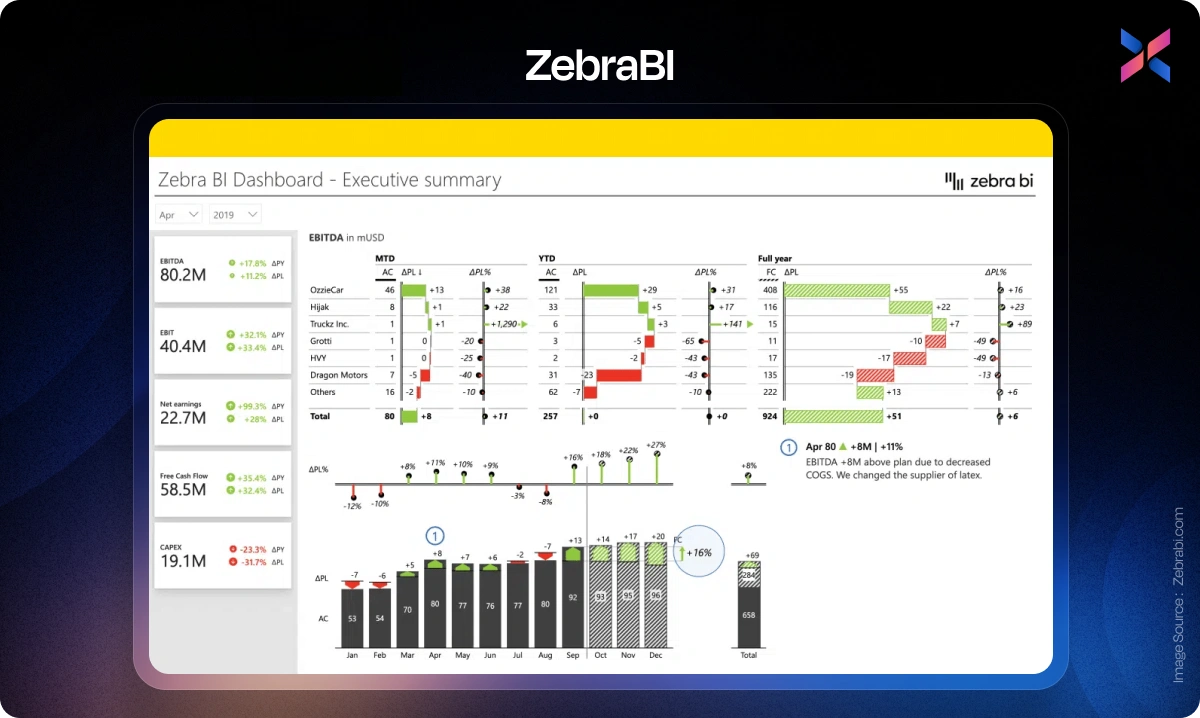
C-Level/Executive Dashboard
With these dashboards, you get a high-level view of the company’s health. You understand the revenue growth, profit margins, churn rate and ROI for different departments at a glance. KPI tiles, trend lines and forecast visuals give CFOs and CEOs a complete view into the company’s performance.
ZebraBI is an excellent example of such a powerful dashboard, and you can copy its layout.
Product Dashboards
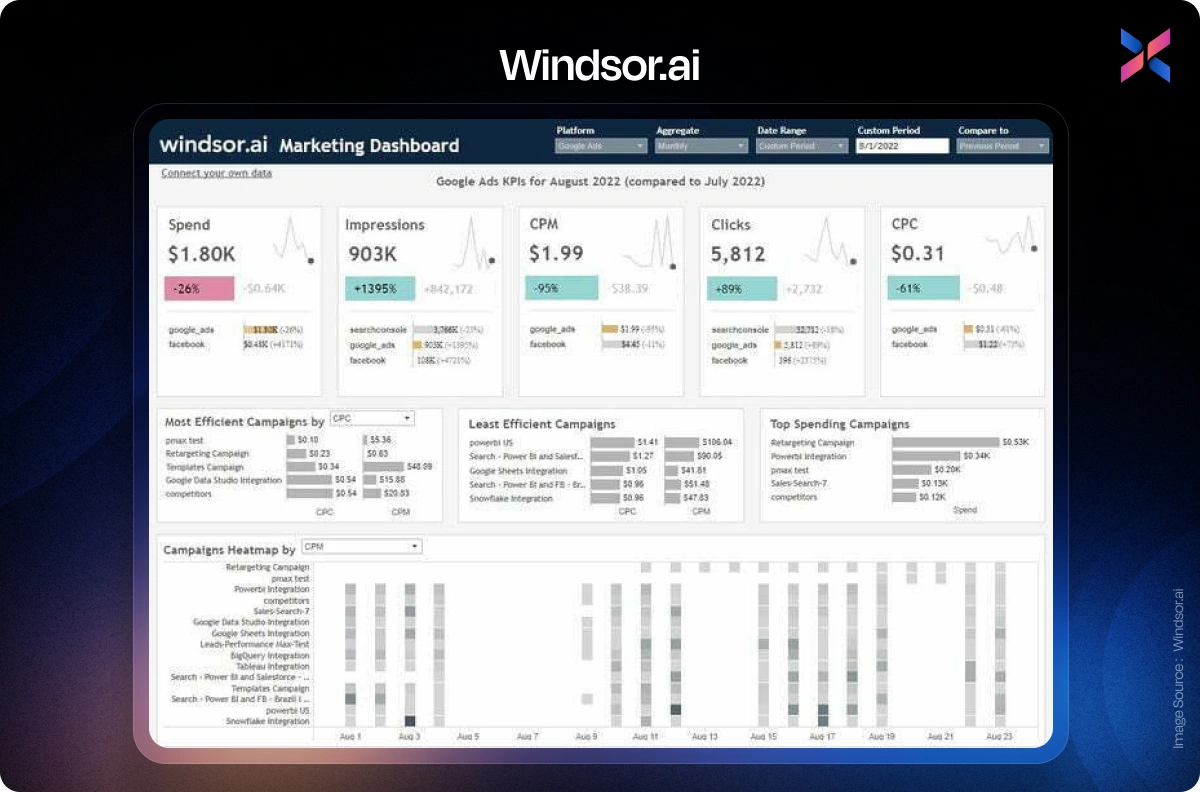
These dashboards help track user engagement, feature adoption, retention rate, and session frequency, metrics that are important to product managers. It will help identify the features that work and exactly where the user drops off.
Windsor.ai templates are a great way to build product dashboards.
Sales Dashboards
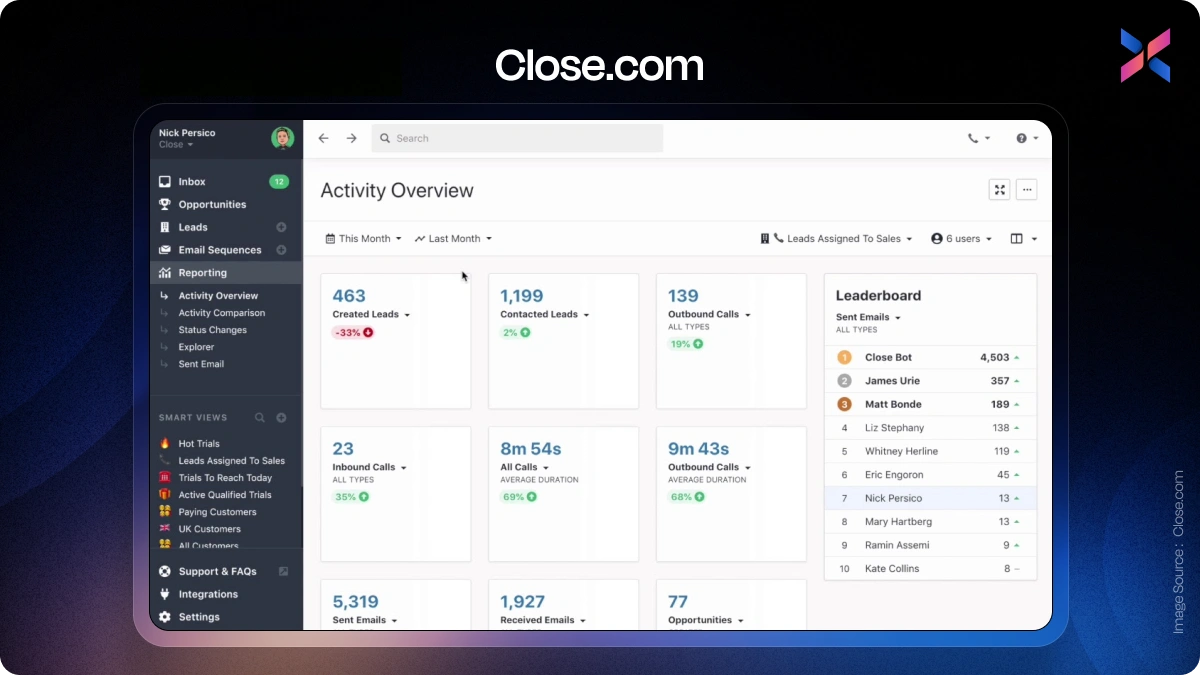
The sales team can visualize the pipeline’s performance, deal velocity and quota attainment with these dashboards. It offers funnel charts, leaderboards and forecast comparisons to help you optimize conversion strategies.
Close.com is a great example of building layouts for sales dashboards.
Support Dashboards
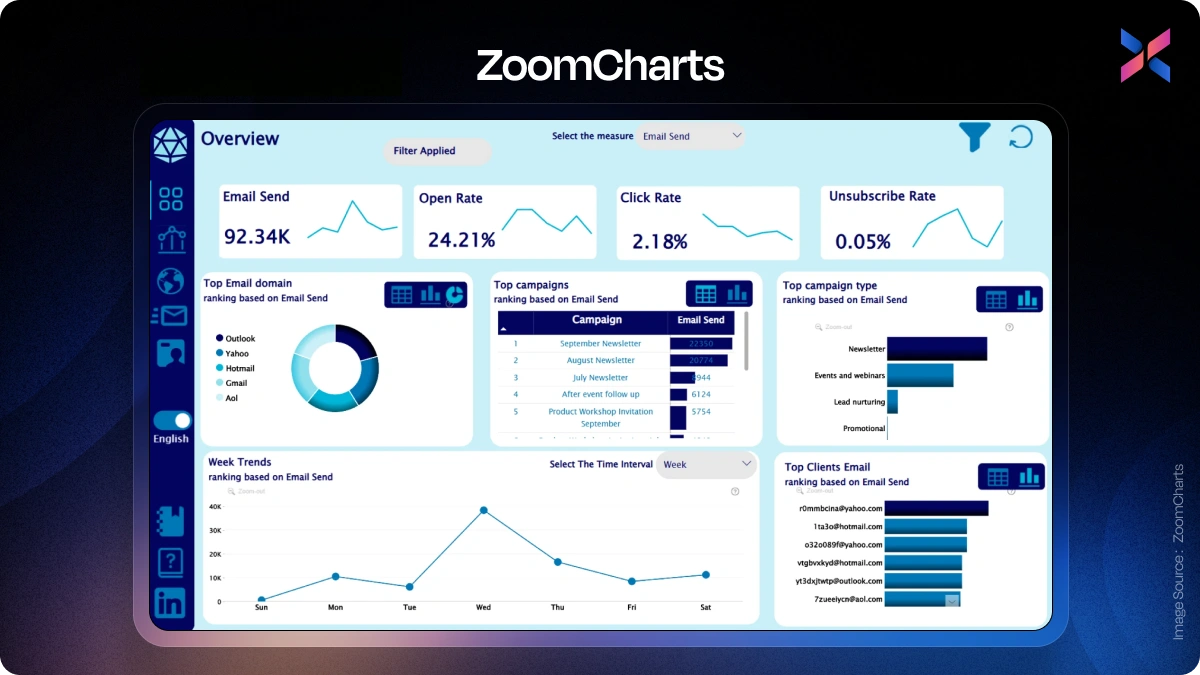
The support and operations dashboard can track ticket volume, response time, resolution rates and on-time delivery. Interactive charts and KPI tiles give you complete visibility into the team’s efficiency and operational health.
ZoomCharts' Power BI layout can help you build a usable dashboard.
Expert Advices for Developing a Premium Business Dashboard
#1. Memory Architecture Makes or Breaks Premium Dashboards
I've spent decades solving impossible computing problems--from inventing the distributed hash tables that enabled cloud storage to creating the world's first software-defined memory. That background taught me one thing: dashboards fail when they can't handle the data they're supposed to display.
Premium dashboards need memory architecture that matches their ambition. We worked with SWIFT on their AI platform processing $5 trillion daily across 42 million transactions. Their dashboard had to analyze anomaly detection across enormous datasets in real-time. The "premium" part wasn't the visualization--it was ensuring the underlying system could actually load and process all that data in-memory without choking. Most dashboard projects spec out features but ignore whether their infrastructure can physically deliver sub-second queries on terabyte-scale datasets.
The biggest mistake is buying dashboard software before stress-testing your memory capacity. Companies design beautiful interfaces, then find their servers can't hold enough data in RAM to make it responsive. They end up with slow queries, frustrated users, and executives who stop checking it. One client was running out of memory mid-analysis on their containerized dashboard workloads--we solved it by letting them draw from a shared memory pool instead of being limited by individual server RAM.
Skip the vanity metrics. Your dashboard should show leading indicators that predict problems, not trailing indicators that confirm you already have them. For infrastructure monitoring, we track memory utilization patterns that signal upcoming bottlenecks 20 minutes before they crash systems. That's actionable. Revenue from last quarter isn't.
John Overton, CEO, Kove
#2. Three Essential KPI Types for Effective Business Dashboards
I've found that three key kinds of KPI are most effective for many business dashboards.
The first is a North Star Metric, like recurring revenue, retention rate, engagement depth, etc., which is the core indicator of a business's value creation.
This can be followed by the leading indicators that predict performance, such as activation rate, trial-to-paid conversions, etc.
I always recommend having operational health metrics. NPS, churn rate, support tickets, etc. can show whether the system function is healthy or requires attention.
I also prefer my dashboards to have a drill-down capability. This means having a clickable KPI summary that can give insights into the underlying dimensions by product, segment, region, etc.
Rohit Agarwal, Co-Founder, Zenius
#3. Premium Dashboards Transform Complex Data Into Self-Service Insights
What makes a dashboard truly premium for business users is its ability to transform complex data into actionable insights through interactive exploration. Based on our implementation of Power BI for financial analysis, premium dashboards should allow stakeholders to dynamically explore scenarios and drill down into the data that matters most to them. A premium solution needs to automate what was previously manual, bringing together multiple data sources into a cohesive view that tells a complete story. The value comes when business users can independently access and interact with data without constantly requiring technical assistance. The self-service nature of well-designed dashboards, like those we've built in Looker Studio for marketing analytics, empowers decision-makers to answer their own questions in real-time rather than waiting for reports to be generated.
Maksym Zakharko, Chief Marketing Officer / Marketing Consultant, maksymzakharko.com
Conclusion
When you provide a well-designed dashboard that transforms raw data into actionable insights, it helps teams make faster and smarter decisions. Through this guide, we explored the latest features, vendor options, implementation strategies and layouts you can copy to build measurable and successful dashboards.
However, you must choose the right dashboard development partner. Finding a trusted partner with technical excellence helps build scalable, secure and empowering dashboard solutions. Expert App Devs specializes in end-to-end dashboard development services, with a deep commitment to customized implementations as well. You can schedule a demo with our team to convert your idea into a premium dashboard solution.
Frequently Asked Questions on Dashboard Development Cost and Top Companies in the USA
Question 1. How Much Does It Cost to Develop a Dashboard?
Answer: Understanding dashboard development cost is crucial for ROI-focused businesses. This table compares cost tiers and used Case and Timeline from the best dashboard companies in the USA, helping you choose the right solution for your analytics needs.
|
Cost Tier |
Typical Use Case |
Estimated Cost (USD) |
|
Starter (MVP) |
Exec KPI overview |
$4,000 – $10,000 |
|
Growth |
Ops/Finance/Exec views |
$10,000 – $25,000 |
|
Advanced |
Company-wide dashboards |
$25,000 – $60,000 |
|
Enterprise+ |
Streaming, embedded |
$60,000 – $150,000+ |
Question 2. What are The Top Dashboard Development Companies in the USA?
Answer: When searching for the best dashboard development company in the USA, Expert App Devs stands out with custom, ROI-focused dashboard solutions and dedicated support. FuseLab Creative brings advanced UI/UX and engaging visualizations. LaSoft delivers flexible, scalable analytic dashboards for fast-changing needs. Beyond Intranet offers Power BI expertise and seamless KPI integration, while Cobit Solutions excels in enterprise analytics and automation. Each of these dashboard development company combines technical depth with user-centric design, helping businesses turn data into actionable insights quickly and reliably.
Question 3. What Questions Should I Ask Before Hiring a Development Agency to Internationalize Our Clinician Dashboard into Multiple Languages?
Answer: Before partnering with a any app development agency, it’s important to ensure they understand the full scope of work for global users not just translating your interface. Here are a few key questions to ask before signing the contract:
- How do you handle multilingual content and translation workflows?
- What tools or frameworks do you use for internationalization (like i18next or React Intl)?
- Can your dedicated team manage right-to-left (RTL) languages such as Arabic or French?
- How do you adapt region-specific formats like dates, currencies and measurements?
- What’s your approach to maintaining translation accuracy and consistency over time?
- How do you test the dashboard across different languages and locales?
- What’s your experience creating culturally relevant and accessible UX designs?
- Will the language files be separated from the main codebase for easier updates?
Above questions helps you to identify a dev partners who can go beyond basic translation and truly deliver a global-ready, user-friendly multilingual clinician dashboard.
Looking to make your clinician dashboard multilingual? Get in touch with Expert App Devs to discuss your internationalization goals.






 148
148

 0
0


 172
0
172
0
 177
0
177
0
 242
0
242
0