



Xamarin application development services
Experience the power of cross-platform at its best with our Xamarin development services. Expert App Devs have been delivering high-performing Xamarin apps using a shared C# codebase for iOS, Android, Windows and Mac to deliver a unified and native performance. We reuse up to 90% of your code across platforms to save you cost and time so you can completely focus on business logic and UI.


Years in Business

Team Strength

Repeat Business

Ontime Delivery
Future-Proof Your Business with Scalable Xamarin Apps
Today mobile apps are important for customer engagement and Xamarin is a perfect platform choice if you prioritize faster and cost-effective development.
We develop high-performing Xamarin apps using C#, .NET 6, MAUI and Xamarin Forms to ensure cross-platform compatibility without compromising on performance.
To fulfill your every functional need, our experts use native APIs, third-party SDKs and Microsoft-backed best practices to integrate advanced tech stacks such as Cloud, IoT, and custom solutions.


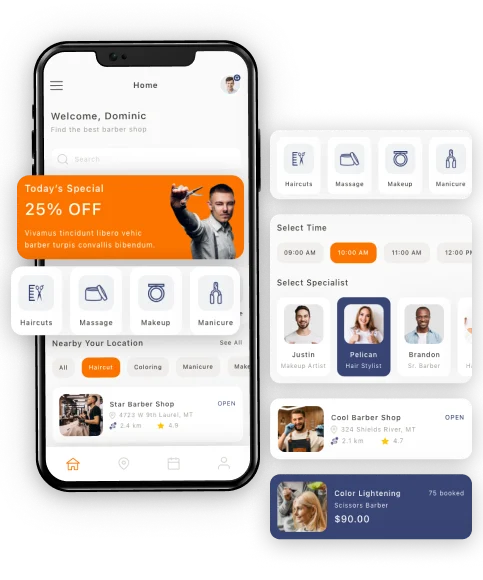
Future-Ready Xamarin Solutions Tailored to Your Needs
Since more than 16 years of experience in mobile app development, we can develop a mobile app designed specifically for your goals.
Whether you are just starting from scratch or want to enhance the existing functionalities of the app, our custom Xamarin development services help you to get the right features, high-quality UI/UX and top-tier performance.
Our engineers, QA, back-end programmers and overall team assist you with strategic planning with the most suitable use of technology, tools and practices to deliver fast, scalable and secure apps that adapt to new platforms and technologies and provide long-term success.
Our Xamarin Success Stories
See the innovations we created using Xamarin. Our portfolio highlights our deep expertise in C#, .NET, and Xamarin Forms and stunning business results.
Why choose Expert App Devs for Xamarin app development?
Why Choose Expert App Devs for your Project Development
Being a top Xamarin application development company, we have a background in creating high-performing native iOS and Android apps tailored to business needs. Our amazing combination of Xamarin’s power and technical expertise helps businesses reach maximum reach with minimal effort.

We have been developing top-quality Android and iOS mobile apps for various businesses since 2011 hence you can trust our expertise and skills.

Our working method is simple; we follow agile to proceed with every phase with your approval. Hence we send the developed part to you for review.

Because we want to deliver a high-performing app, we always keep ourselves sharp and updated with new releases of the frameworks, libraries, platforms and other tools.

We do use Xamarin in-built features plus also follow high-end security practices like encryption, authentication, signing NDA and more.

You get a pure native-like experience that works everywhere because we use Xamarin’s native APIs for smooth performance, intuitive UI and platform-specific user experiences.

To fit into every project requirement, we have flexible engagement models such as dedicated teams, fixed pricing or time-based hiring.

Organized and clear project start drives expected results. Our expert consultants can guide you in choosing the right Xamarin strategy, architecture and implementation roadmap for success.

When you work with us, we help you save on lots of things. Plus, with 90% code reusability, we reduce you loT of development time and costs and get a faster return on investment.
Less coding, more impact! Our expert developers build cross-platform apps with a native feel, with strong security to amplify your reach!

Xamarin app prototyping with interactive mobile screens, UI components, and cross-platform user experience design

Xamarin UI design system with reusable mobile components, buttons, cards, and responsive layouts

Collaborative Xamarin UI UX design workspace for real-time feedback, planning, and design coordination

Interactive Xamarin mobile UI with responsive controls, gestures, and smooth user interactions

Xamarin mobile app user journey mapping with connected touchpoints and customer experience workflows

Xamarin app wireframe design with structured mobile layouts, screen planning, and UX flow architecture
Modern Xamarin UI/UX Design Tailored for Every Device
During the design phase, we focus on user experience and performance as the top priority.
Hence, we start wireframing app modules and design based on the requirements discussed and get it approved by you one by one.
Our UI/UX designers follow platform-specific guidelines and best UI/UX practices to maintain consistency across iOS, Android and all other devices.
Every decision related to Xamarin app design is implemented by considering usability, accessibility and responsiveness to provide users with a sleek and engaging experience on any device.

Agile Xamarin development workflow supporting rapid delivery, sprint planning, and continuous improvements

Xamarin API integration connecting mobile apps with cloud services, databases, and enterprise systems

Xamarin mobile app development environment with advanced coding, debugging, and software engineering workflows

Cross-platform Xamarin app development for Android and iOS using C# and .NET technologies

Full-stack Xamarin application development with frontend, backend, APIs, and cloud technologies

Xamarin app deployment with automated releases, CI CD pipelines, and cloud infrastructure management
High-Performance Xamarin App Development
Our Xamarin developers are highly skilled with C# and .NET and can develop much faster and deliver native-like performance using 90% of the shared codebase.
We enhance functionality using platform-specific APIs, third-party SDKs and cloud services.
Our principles include Agile methods, meaning flexibility and fast iterations.
Whether developing a new app or improving an existing one, our systematic coding methodology will bring scalable, secure, efficient mobile applications to the end-users.

Automated Xamarin app testing workflows ensuring application stability, quality assurance, and performance reliability

Xamarin QA and bug tracking system for identifying, reporting, and resolving application issues

Xamarin mobile app compatibility testing across Android, iOS, tablets, and multiple device configurations

Xamarin app performance analysis with analytics dashboards, monitoring tools, and optimization insights

Xamarin mobile application testing across multiple screen sizes, resolutions, and operating systems

Xamarin app speed optimization and performance monitoring for smooth and responsive user experiences
Advanced QA Testing for Secure Xamarin Applications
We have highly experienced QA and testers in our team who can spot any bug or error in the app.
Once the app is developed, we test it extensively manually and with automated testing.
Testing is essential in providing a bug-free and high-performance app.
Flow is tested extensively, both manually and automatically, to ensure functional accuracy, security vulnerabilities, UI consistency, and platform compatibility.

Real-time Xamarin application monitoring with analytics dashboards and performance tracking systems

Xamarin application lifecycle management for scalable maintenance, updates, and long-term app success

Continuous Xamarin app support with troubleshooting, updates, optimization, and technical assistance

Xamarin app performance enhancement services improving speed, stability, and user engagement

Xamarin app security solutions with encryption, cloud backup, authentication, and data protection measures

Xamarin server maintenance and system updates ensuring secure and uninterrupted application performance
Reliable Xamarin App Maintenance and Ongoing Support
Once your Xamarin app is live, we keep an eye on the latest upgrades and market changes to keep your app optimized.
Our team checks for bug fixes, performance improvements, security patches and other important things to ensure the app is compatible with the latest OS updates and devices.
We will also add new features based on user feedback and evolving business needs.

Xamarin business strategy consulting supported by analytics, insights, and digital transformation planning

Strategic collaboration between Xamarin developers and clients for successful mobile app delivery

Digital transformation consulting for Xamarin app modernization and enterprise mobility solutions

Xamarin growth strategy consulting to accelerate digital expansion and long-term business success

Xamarin solution planning focused on scalable architecture, performance optimization, and innovation

Xamarin technology roadmap planning for scalable mobile app development and future business growth
Xamarin Architecture and Performance Optimization Consulting
If you need help with architecture planning, performance optimization or migration to Xamarin, we guide you through the process.
We first analyze your business requirements and goals, to recommend the best frameworks and align them with business goals.
Our team also guides you with the best practices and other minor things to achieve long-term app goals.
Our Projects Our Projects Digital Excellence Through Expert Engineering.






















Ultimate Guide to Xamarin App Development
Xamarin is a popular developer tool for developing high-quality cross-compatible apps using a single codebase of C# and .NET. According to research, over 14% of developers use Xamarin for cross-platform app development. As it compiles the code to native machine code, it provides native experience and performance on all the platforms.
The reason why developers love to use Xamarin for making apps is 90% of code reusability, which means less stress about coding. Other than this, it offers easy UI customization and full access to platform-specific APIs; hence, the best choice for long-term security and stability.
History and Evolution of Xamarin
Xamarin is basically a Microsoft-based software company founded in 2011. There is a short story behind the Xamarin launch.
- In 1999, Miguel de Icaza and Nat Friedman, two engineers, started a company called Ximian to support the GNOME project, which was an open-source desktop environment for Linux.
- When Microsoft introduced the .NET Framework in 2000, de Icaza analyzed if he could create a Linux-based version of .NET. from this. This led to the launch of Mono- an open-source project with .net capabilities on 19 July 2001.
- In 2003, Novell bought Ximian and later Ximian was bought by Attachmate. During the mass layoff, many mono developers were laid off, which put the mono project at risk.
- To keep it running in the market, Miguel de Icaza founded Xamarin in 2011.
- The goal was to allow developers to create cross-platform apps using C#. Though there were some legal issues, in July 2011, Novell (owned by Attachmate) officially granted Xamarin the rights to Mono and its related products. And this is how Xamarin was founded.
Key Milestones & Major Updates Over the Years
- With the passing years, Xamarin kept on adding new functionality and features to make cross-platform app development more better.
- In 2012, Xamarin.Mac was released. This allows developers to create C# applications for Apple Mac OS.
- In Feb 2013, Xamarin 2.0 was released with an integration of Visual Studio to allow create apps for iOS, Android, and Windows.
- In 2014, Xamarin. form was introduced to allow developers to build cross-platform apps using a single C# codebase and share UI across iOS, Android, and Windows.
- In 2020, Xamarin.Forms was merged with .NET 6, and .NET MAUI was released in 2022.
Other than this, the founder of Xamarin kept on evolving with time by adding technical functionality to make it a better platform for cross-platform app development to run on every device.
Xamarin Test Cloud (2014) – this was created for automated testing of mobile apps on real devices.
Xamarin for Visual Studio (2013) – Integrated Xamarin with Visual Studio for smooth development.
.NET Mobility Scanner – it helps developers to assess code compatibility for .NET mobile apps.
RoboVM (2015) – helps Java developers to build iOS apps, later discontinued by Microsoft.
How Xamarin Works: Understanding the Tech Stack
Xamarin allows to develop apps for Apple, Android, and Windows using C# and .NET. The best part is that developers only need to write the code for the app once and they can use 90% of the code for other platforms with minor changes and modifications.
Here is how Xamarin works.
- C# and .NET Foundation: Xamarin apps are written in c# and use .net to handle the logical part, data management, and backend connectivity. This maintains the app's security and allows faster development with easy integrations with third-party services.
- Xamarin.Forms: You can use xamarin.forms if you want a shared UI across all platforms. For platform-specific and custom UIs, Xamarin.Android & Xamarin.iOS is best.
- Access to Native APIs: Xamarin native APIs provide direct access to platform-specific features like cameras, GPS, notifications, and more just like native apps.
- Xamarin.iOS & Xamarin.Android: It allows to write custom platform-specific code while using C#, to ensure the best performance and flexibility.
- Visual Studio & Xamarin SDK: Visual Studio is a primary environment for building apps where developers write, test, and debug the app.
Xamarin vs. Other App Development Frameworks
| Factors | Xamarin | React Native | Flutter | Native development |
| Performance | Near-native, but slightly slower than native due to abstraction layers. | Good performance but depends on JavaScript. | High performance due to Dart and Skia engine. | Best performance as apps are built specifically for each platform. |
| UI & Design | native UI components for a native-like experience. | Uses native UI elements but needs party libraries | Uses a custom rendering engine. | best UI consistency and performance. |
| Code Reusability | 90% code reuse for iOS, Android, and Windows. | 70-80% code reuse across platforms. | High code reuse but requires custom widgets | No code reuse; it needs separate codebases. |
| Development Speed | Faster due to shared codebases | Faster but connecting API might take time. | Fast due to the hot reload feature. | Slow due to separate code base |
| Flexibility | High flexibility with .NET ecosystem support. | Flexible with JavaScript and large third-party libraries. | It is flexible but depends on Google’s ecosystem. | Flexible but you need separate teams for plateformwise. |
| Maintenance | Easy to maintain due to shared codebase and Microsoft. support | Requires frequent updates | Good maintenance support, | High maintenance due to separate codebases |
| Cost | Cost-effective because of the same codebase. | Lower cost than native. | Lower cost than native but requires Dart expertise. | High cost as you need platform-specific developers. |
So, Which One Should You Choose?
Your choice depends on your project needs, budgets, features, functionalities, and business objectives you are gonna achieve through mobile app development.
Choose Xamarin if:
- Your project needs more C# skills and code reusability up to 90%.
- If you want to develop a high-performing cross-platform app.
- If you want to save development time and cost and faster time to market.
- You want enterprise-level support and long-term stability from Microsoft
Choose React native if:
- If your team has expertise in using React and JavaScript.
- You want a quick entry into the market.
- If your UI requirement does not depend on heavy platform-specific features.
- If your project requires a strong developer community and third-party plugin support.
- If you are building a social media or eCommerce platform.
Choose Flutter If:
- You need a highly customizable UI with a consistent look in all platforms.
- You want high performance similar to native apps, especially for animations.
- You are comfortable with Dart and want full control over rendering.
- If you want the same codebase for web, mobile, and desktop.
Choose Native Development If:
- If you are building complex applications like gaming or AR/VR.
- If your app demands platform-specific optimizations and hardware integrations.
- If you are fine with a fat budget and a dedicated development team for each platform.
- You want to achieve the best user experience without the limitations of cross-platform frameworks.
Key Benefits of Xamarin for Businesses & Developers
#1. Cross-Platform Efficiency with a Single Codebase
You can maintain your overall app development budget by choosing Xamarin. Just write the code once and use it for iOS, Android, and Windows with the required modifications. This makes the app easier to maintain and speeds up the development with less effort and uncompromised quality.
#2. Near-Native Performance with Platform-Specific Enhancements
With Xamarin.Native (Xamarin.Android & Xamarin.iOS) apps, you can achieve near-native performance by using its platform-specific APIs and hardware optimizations. This helps to create smooth animations, fast load times, and highly responsive as native ones.
#3. Cost-Effective Development & Faster Time-to-Market
By using a shared codebase, you can directly cut your time and cost and launch affordable and high-performing mobile solutions in the market.
#4. Easy Integration with Microsoft Ecosystem
It is perfect for a business that depends on cloud services, enterprise applications, and data-driven insights because Xamarin is easy to integrate with Microsoft tools like Azure, .NET, Visual Studio, Power BI, and more.
#5. Strong Community Support & Long-Term Stability
As it is backed by Microsoft, there is an active developer community, strong documentation available, and continuous updates. Hence, you can have long-term stability and innovate your mobile app with time.
The Latest Trends in Xamarin Development
Mobile app development is continuously evolving with some or other upgrade day by day. This benefits developers as well as businesses in many ways. Below are some of the latest trends in Xamarin development.
#1. Xamarin.Forms to .NET MAUI
Xamarin.Forms is replaced with .NET MAUI for better UI, multi-platform support, and improved performance. This gives flexibility to developers to create desktop and mobile apps using a single code base and easily adapt to the changing Microsoft ecosystem.
#2. AI & ML in Xamarin Apps
Today, every business is thinking of how they can make their app smarter and more helpful. This can only be done by AI. Xamarin apps can now be connected to AI/ML for personalized recommendations, voice recognition, automation, and more.
#3. Cloud-Based Xamarin App Development with Microsoft Azure
Whether its small or big business, every business needs secure and scalable storage. Xamarin apps can also be integrated with cloud-based services like Microsoft Azure to store data, use cloud-based APIs, and access real-time analytics.
#4. Xamarin for IoT and Wearable Technology
Xamarin can also be used to create apps for smartwatches, fitness trackers, and industrial IoT devices. This helps to connect Xamarin apps to watch real-time data and use automation wisely.
#5. Performance Optimization Techniques for Xamarin Apps
Developers now focus on reducing app size, improving UI rendering, optimizing memory usage, and other things to provide a superior app experience. Some of the performance optimizations that developers use are:
- AOT (Ahead-of-Time) compilation
- Lazy loading
- Background thread management and more.
Xamarin Development Services Common Questions
Get in touch with our experts
World Bank, Pinterest, Coca-Cola, Insightly, Aviva, Alaska Airlines, Siemens, UPS, and many big companies are already using the Xamarin platform because having a cross-platform app is crucial to target both Android and iOS users.
Depending upon the project's needs, almost all industries can benefit from Xamarin development services that want to reuse the same code. Industries like healthcare, finance, e-commerce, logistics, and manufacturing widely use Xamarin for profitable business.
Xamarin offers a near-native experience by reusing code for all platforms. Hence, it helps in affordable app development. While native apps provide full control over platform-specific features.
We follow the agile method for continuous evolution during the app development. Our team at Expert App Devs follows a sequential process that includes consultation, UI/UX design, development, testing, deployment, and ongoing maintenance. Plus we stay in touch through project management tools to give you timely updates and align with your business goals.
Yes, using Xamarin will definitely benefit your business in many ways:
- You can save development costs and time due to its 90% of code reusability.
- Develop a high-quality cross-platform app with a native-like experience.
- It supports various integrations with Microsoft tools.
- Long-term stability and support.
Today every business wants to launch their mobile app faster and complete it with less cost. Xamarin apps can be made with less budget, that too with UI customization and native experience.
Plus, this platform is backed by Microsoft so it's nowadays a popular choice.
If you want to know the Xamarin development cost, then share us your project requirements in detail, features, platform requirements, integration needs, and any custom needs if any. Our expert will get back to you for a quote discussion.
At Expert App Devs, we have a team of a dedicated team of Xamarin developers and specialists who have deep experience in building a wide range of Xamarin apps. We follow the organized process that includes proper resource management, task allocation, and implementation control.
Whether you want to just have an MVP or develop a Xamarin app from scratch, you can trust us for the best Xamarin development services.