


- What is Non Profit App Development?
- Why Do Non Profits Need Mobile Apps?
- Top Non Profit App Development Ideas
- What Features Should A Non profit App Have?
- Best Practices For Maximizing Donations
- Best Practices For Community Engagement
- Non Profit App Implementation Process
- Expert Advice for Non Profit App Development
- Non Profit App Development Cost Estimate (What Does It Cost?)
- How Long Does Non Profit App Development Take?
- Do Nonprofits Need Native Or Hybrid Apps?
- Who Provides Non Profit App Development Services?
- Non Profit App Development Alternatives
- When Should Non Profits Invest In Mobile Apps?
- When Is The Right Time To Build A Donation App?
- When Does Nonprofit App Development ROI Appear?
- Should NGOs Outsource App Development?
- FAQ for Non Profit App Development
- Wrap-Up: A Practical “Next Step” Blueprint
Ready to transform your vision into reality?
Get Started
Non Profit App Development: Best Practices for Maximizing Donations and Community Engagement
 382
382
 0
30 Dec 2025
37 Min Read
0
30 Dec 2025
37 Min Read


 Share
Share

 Download PDF
If you are currently running a nonprofit, a mobile app is becoming the basis for raising money online. Globally, there are more than 5.78 billion mobile users. Today’s donors are looking for seamless, simple, and meaningful experiences with digital. More than half of nonprofit traffic now comes from mobile devices. Using responsive designs and mobile-optimized forms can give up to 34% conversions. (amraandelma)
This demonstrates that mobile apps are probably the most effective way to connect with community members and rapidly build up donations. In addition, good mobile app development practices such as one-tap donations, quick load times, clear CTAs and personalized updates directly affect your fundraising success.
In this article, we will discuss about helpful information on NGO application development, charities app development services, social impact app development, mission-driven app development, cost per project, timelines, feature checklists, and frequently asked “who/what/why/how/when/where” questions people ask when they hire the best app developers for nonprofits.
Let’s begin with the basics first to make it clear…
What is Non Profit App Development?
Nonprofit app development simply means creating mobile apps designed specifically for nonprofits, charities, and NGOs to raise funds for a noble cause. These apps help organizations raise funds, manage volunteers, share updates, run programs, and stay connected with their community.
You need to have a specific goal in mind about why you are raising the donations and a strong reason behind it. Plus, for long-term retention, the nonprofit app must show results and impact the donations created to bring more revenue in the future.
Why Do Non Profits Need Mobile Apps?
Most of NGO today still don't have an online presence and lack in networking, infrastructure, trust signals, and many other things. As most modern fundraising happens online on social media, crowdfunding, and mobile apps can build a good online presence and attract potential donors for fundraising.
Here are the reasons why you need a mobile app for a non-profit.
- Supporters can donate in just a few clicks from anywhere through the app without visiting the place physically.
- Donors can see where their money goes and the impact it has created. You can also show real updates like photos, project progress, locations, or reports directly inside the app.
- Nonprofit apps can easily connect with the audience via push notifications, event reminders, volunteer opportunities, and community tools.
- FEP research shows overall donor retention of around 42.9% in 2024. You can stay connected with users by taking regular follow-ups, sending thank-you messages, and sending updates.
Top Non Profit App Development Ideas
If you are planning nonprofit app MVP development, you must focus on one main purpose your NGO app is supposed to serve. Here are some of the top non-profit app development ideas.
1) Non profit Fundraising App/Donation App
Make giving simple, fast, and recurring. Here is how you can implement this in your app:
- Allow supporters to give one-time or recurring donations,
- Share campaign pages and impact stories,
- Include easy payment options like Apple Pay, Google Pay, or saved cards,
- Provide receipts, tax summaries, and a history of donations.
2) Non Profit Volunteer Management App
Make sure participation is effortless in your app. Focus on these things:
- New volunteers must be able to sign up, schedule, and check in/out.
- They must be able to assign tasks based on skills and send alerts for upcoming shifts.
- They must be able to track volunteer hours and issue certificates for recognition.
3) Community Engagement & Advocacy App
Build a connected, active supporter base. Users should be able to join local chapters, sign petitions, participate in forums, and access learning content to support your mission.
4) Non Profit Crm Mobile App Development (Internal + Field Teams)
Make team operations mobile-friendly. Field staff must be able to access donor or beneficiary info on the go, log notes and tasks, and capture offline data that syncs automatically.
What Features Should A Non profit App Have?
It is important to choose the right features for nonprofit apps as they directly impact donations, volunteer participation, and community engagement.
Here’s a “best practices” checklist that directly supports donations + community engagement. Let's go through all of them one by one.
Donation And Fundraising Features
If the campaign is simpler and quicker, people will become more compelled to donate.
- Donations should remain in 2 to 4 steps.
- Your form needs to be clear and not too complicated.
- Give soft nudges, weekly or monthly, to encourage supporters to upgrade their plan.
- Offer cards, wallets, and local bank transfer so donors can pay when it feels comfortable for them.
- Show how close a campaign is to achieving an objective. This will motivate donors.
- Donations to supporters can create their own pages, invite friends, and follow team goals.
- Your app needs receipts and summaries for taxes.
Engagement And Retention Features (For Building Loyalty)
In other words, donors have to be involved in the process when they donate money. Some other ways to build loyalty are presented below.
- Share stories, photos, and project timelines to ensure the impact of your contribution is visible to supporters.
- Notify others of your new status and send you reminders and thank you emails without spamming.
- Manage RSVPs, tickets, check-ins, or livestream links in order to bring supporters into programs or campaigns.
- Keep registering to shifts easily, get reminders and track hours.
- Community tools such as groups, discussion boards and resource libraries encourage participation and support from other members.
- Use badges or streaks to celebrate milestones, volunteer hours, or giving streaks based on your brand.
Operational Features
Here are some useful details about how it works;
- Admin dashboard: Used to manage campaigns, content and target audiences for targeted outreach.
- Cloud integration: Share your app with CRM systems, email/SMS systems, analytics, and payment gateways for seamless operation.
- Analytics: To understand how a donation has been going, how many donors have been retained, and how many recurring donations have been made.
- Accessibility: Design for everyone. Use readable fonts, enough contrast, screen reader support, and WCAG-friendly UI guidelines.
- Security & privacy: Protect sensitive data with encryption, secure authentication, role-based access, and user consent management.
Best Practices For Maximizing Donations
If you want to get more donations without bothering your supporters, it depends on how your app is designed. Follow these smart practices to maximize the donations for your NGO app.
1) Design For “Recurring By Default.”
Recurring giving is one of the most reliable ways to get stable nonprofit revenue. Many donors pay happily every month if donating is simple and secure.
Implement these practical UX patterns in your app.
- Pre-select monthly donations by default and explain it clearly.
- Offer small, easy-to-choose tiers like “$9 / $49 / $99 per month.”
- After a donor gives twice, gently suggest upgrading to a higher monthly tier.
2) Reduce Friction with A “One-Thumb” Checkout
Your donation process should not be complicated with terms and conditions and long form filling.
- Keep forms short and simple.
- Enable autofill so donors don’t have to type everything.
- Avoid forcing users to create an account before donating.
- Include wallet payments like Apple Pay or Google Pay for super-fast transactions.
3) Build Trust with Transparent Impact Reporting
Donors stay when they see results. Apps like Charity: Water is a well-known example of connecting donors to projects with mapping/visual proof of impact.
In your app, use this same principle:
- Share a personal “impact timeline” for each donor.
- Provide updates tied directly to the campaign or program they supported.
- Show a clear breakdown of how funds are used, in plain language.
Transparency builds trust, loyalty, and repeat donations.
4) Use Push Notifications for Stewardship
Your push notification must be powerful and show value. Try following these good push notification ideas:
- “Your monthly gift funded X this week.”
- “New photos from the field, see the impact of your support.”
- “Volunteer slots opened near you.”
Focus on value and updates. Donors respond positively when they see results, not just requests.
5) Integrate Fundraising + CRM + Email/SMS
If your app collects donations but your CRM or email system is not updated, you can lose follow-up opportunities.
- Plan your integrations early so donor info flows smoothly across systems.
- This ensures timely thank-you messages, updates, and campaigns that nurture long-term giving.
Best Practices For Community Engagement
1) Give Supporters A Role (Not Just A Donate Button)
Supporters want to be part of your mission, so other than financially supporting,
- Let supporters sign up for shifts, projects, or events.
- Encourage actions like signing petitions, contacting representatives, or spreading awareness.
- Make stories, achievements, or campaigns easy to share—so supporters can share.
2) Create “Micro-Communities.”
Break your supporters into smaller groups so they can connect meaningfully, feel valued, and stay active. Organize supporters according to location. This will create opportunities for local events, meetups, and collaborations.
You can also start a discussion group on some interesting topics like education, health, or disaster relief. Supporters will eventually participate in this if they are concerned about.
3) Add Feedback Loops
Lastly, also add a feedback section in your app where donors can give their suggestions after events. You can add quick polls or a quick quiz to know where you can improve and raise more funds.
Non Profit App Implementation Process
Having a strong nonprofit app development outsourcing partner is crucial because it determines the possibilities of donations you are likely to raise.
Here is the step-by-step non-profit app development process:
STEP 1: Discovery & Strategy
Do a detailed market research in the non-profit market to find the gaps that you can fill through your non-profit app. Make sure you are targeting the real problems of people through the app.
Include smart solutions that make the app easy to use. Discuss a clear objective behind making a non-profit app, such as whether you want to increase donations, volunteer coordination, or just spread awareness through this app. Discuss the personas who will be using your app- technical or non-technical users.
This will help you to decide the donation flow, technology, and other app development stages.
STEP 2: UX/UI Design
This step is all about giving clarity and accessibility to users. Hence, the UX/UI design must be according to your brand identity. The main goal of a non-profit app is to get funds for a genuine cause. Highlight the payment part with sentimental or real-life stories to show how the supporters' payment can make an impact on other people’s lives.
Create a prototype and wireframes, keeping the goal in mind, and run accessibility checks on different devices.
STEP 3: MVP Development
Once the whole app requirements and design features are clear, start building the core features first, like donate, impact feed, admin, etc.
STEP 4: Integrations
After developing the core features of the non-profit app, connect with the essential tools for donations, CRM systems for donor data, email or SMS tools for communication, and analytics for tracking performance, and more.
STEP 5: QA & Security
Once everything is built and integrated, it's time to test the MVP for functionality, usability, and security. Keep the donors' privacy at the top, as you will be dealing with donors' real data and personal information. Test the app with small groups of real users and gradually test to a bigger group once you find a good response.
STEP 6: Launch
Once you see your MVP is performing great and raising donations, you can launch your non-profit app to appstore and Google Play Store. For this, you will need to follow App Store guidelines and optimize app descriptions, screenshots, etc. Prepare a marketing plan and onboarding plan for first-time users.
STEP 7: Iteration
Real learning and improvement are done after launch, even if you have tested your app earlier with real users. The users need and situations keep evolving. Review data to see how users interact with the app, where they donate, where they drop off, and what keeps them engaged. Improve flows, notifications, and features based on these insights.
Expert Advice for Non Profit App Development
The nonprofit mobile apps that continuously perform well on donations and engagements are less under novelty and rather with the aim of reducing friction and strengthening mission impact. A few features stand out:
1.Intelligent recurrent donations of an amount in single tabs.
Apps which display the default as the monthly giving (as opposed to a secondary feature) exhibit a larger lifetime value. Combined with wallet-based payments (Apple Pay/Google Pay), the donors can turn it in seconds, which is essential in terms of mobile behavior. I have observed repeated adoption rise by 2540 percent as a result of pre-selecting monthly giving and describing the impact in easily comprehensible words.2.Behavior-based personalized impact updates.
Donors will make repeat donations more often when they witness what their contribution made possible. The retention is enhanced by a push notification or in-app feed that mentions certain programs or milestones since it creates the emotional loop between action and outcome.3.Indicators of community and participation.
Bells and whistles (such as volunteer registration, event attendance) or peer-to-peer challenges make the app seem like a relationship tool, rather than a donation form. Even social proof (i.e. 1,200 supporters this month) operates on the backs of trust and momentum silently.4.CRM and analytics since day one.
Applications that integrate well with CRM and marketing automation enable nonprofits to segment, test, and optimize in a short period of time - converting knowledge into revenue growth.One anonymized example is a case in which a mid sized nonprofit increased its mobile conversion of donations by 30% when it made the flow of the donation process simpler and included a post donation impact message.
Sophia Jacob, Logistics Supervisor, 617 BostonMovers
Non Profit App Development Cost Estimate (What Does It Cost?)
The cost of nonprofit app development depends on scope, platform(iOS, Android), integrations, compliance needs, and many other factors. According to the Clutch report, the majority of NGO app development projects usually range from $10,000 to $49,999. Hourly rates of companies start from $25 to $49/hour, depending on the region and specialization.
If you want to get an idea about nonprofit app development cost, then check this to get a rough idea:
- If your budget is low to mid, then you must go for building donate + campaigns + basic admin features.
- If your MVP has worked great and your budget allows, then you can move to a full nonprofit platform that includes (donations + volunteer mgmt + community + CRM integrations).
Expert App Devs Non Profit Development Packages
At Expert App Devs, we have experience in working with various NGO and non-profit app projects. Hire us as your nonprofit mobile app development company, and we will start the project within 48 hours.
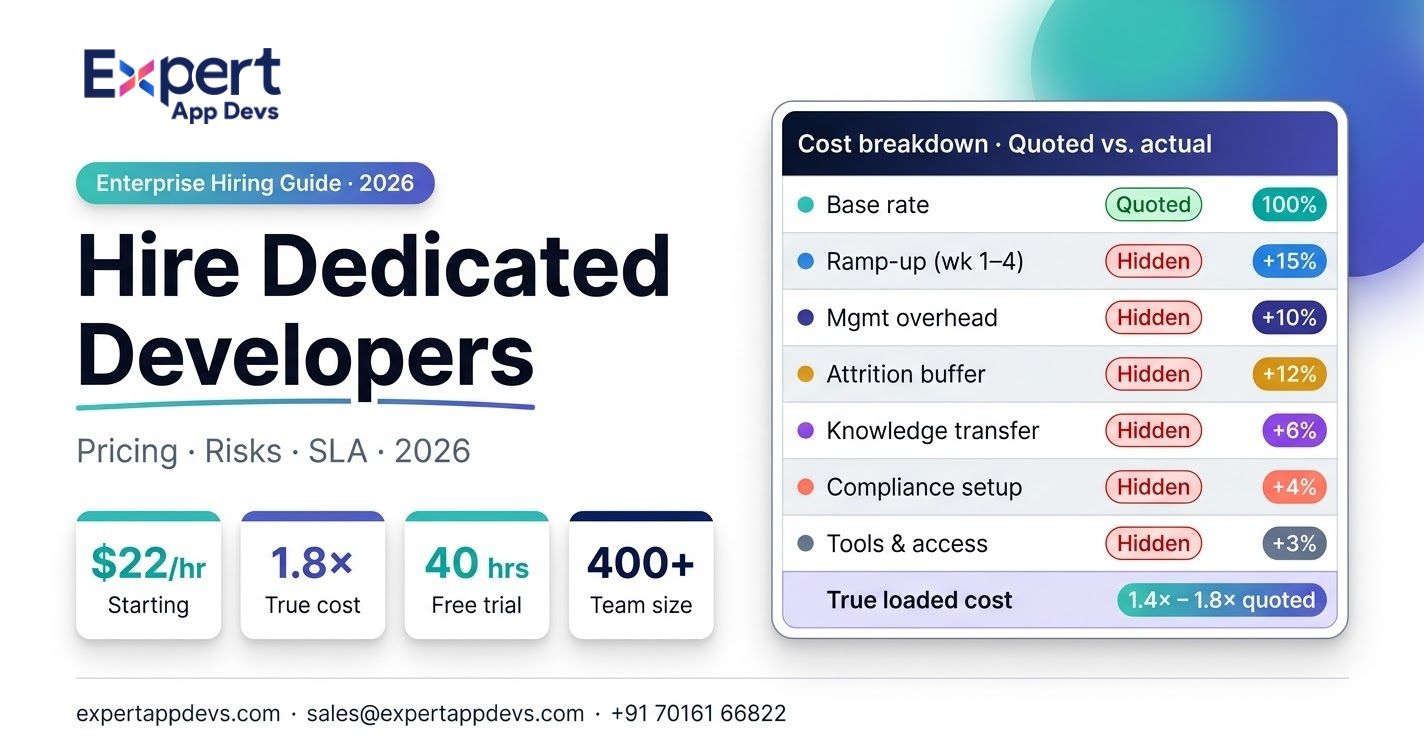
We offer flexible pricing for hiring a dedicated NGO app developer at $22 per hour and $2,500 per month.
We also offer a 40-hour free trial of nonprofit app development services, so you can check on quality and fit before committing.
If you want a nonprofit app development quote, share us your target users, integrations needed, and MVP features list with a timeline.
How Long Does Non Profit App Development Take?
Complexity is a factor in how long a nonprofit app will take to build. If you start with a focused MVP, it can take between 6 and 12 weeks. A more sophisticated app with many features and integrations can take 3 to 6 months. If you have clear planning and reusable architecture in place, you can accelerate your non-profit app development.
Do Nonprofits Need Native Or Hybrid Apps?
Hybrid apps are good for most nonprofits because they save time, do not incur costs, and are able to provide a great user experience. They also need less maintenance in the long run. Though you can always choose native if you need: High-end device features, Fastest scaling offline + background work
Who Provides Non Profit App Development Services?
Nonprofit app development services have many options. If you need whole-house assistance from strategy and design, through development and launch, the specialized agencies are the best choice.
If you already have a clear vision for a product, but need extra technical experts, hire dedicated developers or development teams.
If you want to create simple event/community apps and do not need much customization for fundraising, no-code tools or platforms would also be ideal.
The best development team has experience in building NGO apps such as donation funnels, volunteer features, and CRM integrations. Look for measurable results such as increased donation conversion, stable releases, strong security practices, and the ability to provide long-term support.
Check out some non profit app development companies that work specifically in this industry.
|
Region |
Company |
Clutch rating |
DesignRush rating |
Why it’s relevant for nonprofits |
|---|---|---|---|---|
|
North America |
Buildable (USA) |
4.9 (9) (Clutch) |
5.0 (4) (DesignRush) |
Strong fit for mission-driven MVPs and donor/volunteer features; good review depth on Clutch. |
|
North America |
Savas Labs (USA) |
5.0 (19) (Clutch) |
5.0 (2) (DesignRush) |
UX-forward builds that work well for donation flows and community engagement experiences. |
|
North America |
Agiliway (USA-focused presence; global delivery) |
4.5 (16) (Clutch) |
5.0 (6) (DesignRush) |
Helpful for nonprofits needing staff augmentation + app delivery; has a nonprofit app review example on Clutch. |
|
Europe |
Innowise (EU delivery footprint) |
4.9 (72) (Clutch) |
4.9 (12) (DesignRush) |
Large delivery capacity for NGO platforms, integrations, and multi-module systems. |
|
Europe |
Netguru (Poland) |
4.8 (72) (Clutch) |
4.2 (1) (DesignRush) |
Product + design strength for retention, storytelling, and donor UX (useful in fundraising apps). |
|
Middle East |
Synergy Labs (Dubai listed among locations) |
4.9 (45) (Clutch) |
4.9 (32) (DesignRush) |
Good choice if you want a MENA-accessible partner for donation apps + engagement features. |
|
Oceania |
Appetiser (Australia) |
4.8 (24) (Clutch) |
4.7 (91) (rating shown on DesignRush profile) (DesignRush) |
Australia-based team; can suit nonprofit mobile apps, supporter engagement, and campaigns. |
Non Profit App Development Alternatives
If you don't want to spend on the entire nonprofit app development, here are some options you can try:
- Create donation pages with mobile-optimized website improvements.
- Use existing platforms to manage events or build small communities.
- Start small with just donations and an impact feed, then expand later.
When Should Non Profits Invest In Mobile Apps?
Consider investing when:
- You have repeat campaigns and want predictable recurring revenue.
- supporter communication is fragmented (email + WhatsApp + spreadsheets)
- Your volunteer operations are growing.
- If you can commit to ongoing content (impact updates) and iteration.
When Is The Right Time To Build A Donation App?
The right time is when your nonprofit app is already generating some steady donations. This means your app is installed and attracting people to events, social media, or partners.
When Does Nonprofit App Development ROI Appear?
You will start seeing the results within months if you launch a good MVP with optimized conversions.
Should NGOs Outsource App Development?
Outsourcing nonprofit app development is the easier and smarter option because you get a full team of designers, developers, QA, and a project manager. They are also specialized in skills like payments, security, analytics, and cloud.
Tip: Choose a partner with a transparent process and nonprofit-relevant experience.
FAQ for Non Profit App Development
1. What features should a non profit mobile app include?
ANS: A good nonprofit app includes donation flows (one-time and recurring), impact updates, push notifications, volunteer/event management, community tools, CRM and analytics integrations, accessibility for all users, and strong security to protect donor data.
2. Does non profit app development increase donations?
ANS: Yes, if you have a simple donation process and recurring conversions, your nonprofit app can increase donations.
3. Will a non profit app improve engagement?
ANS: Yes, if your app shows timely impact stories, volunteer opportunities, has community discussion tools, events, and push notifications, then it definitely improves engagement with donors.
4. Would a non profit app help donor retention?
ANS: Yes, a nonprofit app can retain donors by offering a personalized experience, building recurring giving habits, maintaining relationships, and showing the good impact of contributions. This makes donors worth spending on a genuine cause.
5. How much does non profit app development cost?
ANS: Most nonprofit apps land anywhere from $10,000 to $49,999, depending on scope and integrations. Agencies often cluster around $25 to $49/hr. On freelance marketplaces typical range $18 to $39/hr.
6. Can non profits afford mobile app development?
ANS: Yes, you can build an MVP, use cross-platform development, or outsource to cost-effective teams in the beginning. Once it starts bringing in donations, you can gradually upgrade the development.
7. Where to hire non profit app developers?
ANS: You can hire the best nonprofit app developers from agency directors, referrals, offshore teams, and much more. Simply search nonprofit developers near me on Google, and you will find the list of developers by region, expertise, budget, and more.
8. Where to find affordable non profit app agencies?
ANS: Remote teams or offshore teams are affordable because you don't need to invest in full-time hiring, training, infrastructure, and other tool costs. You can search on Clutch or other reputable websites and filter by hourly rate and budget ranges.
9. Can I add Apple Pay / Google Pay donations inside my nonprofit app?
ANS: Yes, but only if you follow store rules:
- iOS (Apple): In-app fundraising is allowed for approved nonprofits, and you must support Apple Pay and include required disclosures/receipts for donations.
- Android (Google Play): If the donation unlocks digital content/features, you must use Google Play Billing; don’t route users to other payment methods unless a policy exception/program applies
Wrap-Up: A Practical “Next Step” Blueprint
A nonprofit app is only effective if it’s built right. If you want to maximize your ROI, following best practices is rule number one to get easy donations and keep repeat funds.
To get started effectively, consider building an MVP donation app with recurring-first options and an impact feed. Add push notifications and stewardship features while tracking donation funnels and retention.
Gradually expand into volunteer management and community tools, and integrate your CRM to automate follow-ups for seamless donor engagement.
Ready to turn supporters into loyal donors? Start your mobile app development journey now and hire mobile app developers from India for a quick, nonprofit-friendly solution. Try our 40-hour free trial!




 277
277

 0
0


 269
0
269
0
 590
0
590
0
 231
0
231
0