



- Emerging Trends in Real Time Integration in Apps
- Common Real Time Integration Use-Cases in App Projects
- Challenges in Real-time Integration in App
- Tools for Real-Time Data Sync in Mobile Apps
- Real-Time Integration Project Best Practices for Consultants
- API Gateway Showdown: AWS API Gateway vs. Azure API Management
- How to Hire Offshore Team for Real Time Integration Projects?
- Engagement Model: Phased Delivery vs. Full-Stack Outsourcing
- Case Study: Panama Consultant Modernizes Legacy CRM via Mobile App
- Top Strategies for Performance Monitoring and Troubleshooting in Real-Time Integration in an App Project
- Frequently Asked Questions on Real-Time Integration in App
- Conclusion
Ready to transform your vision into reality?
Get Started
Real-Time Integration in App Projects: Tools & Team Models for Consultants
 280
280
 0
01 Sep 2025
Min Read
0
01 Sep 2025
Min Read


 Share
Share

 Download PDF
Whether you are a system integrator or a backend consultant, you can use this guide as a road-map for real-time app integrations. This guide will take you through the right tools, data sync architectures and outsourcing models for smooth scaling and successful delivery.
Have you ever tried connecting the different apps and systems within your business? Did it end up being messy, causing more delays and mismatched data than before? Well, you aren’t the only one facing this situation.
71% of the organizations need at least three weeks or more to bring a single integration to market.
This makes fast and seamless delivery impossible.
When you add bad data costing $12.9 million each year, with 12 hours/week spent on gathering scattered information to the mix, you will realize the importance of real-time data sync.
That’s why you need to invest a smarter and accessible game plan that comprises the right approach to selecting tools and designing the architecture.
In this guide, you will learn the ways to manage complex app integrations and sync enterprise systems.
We will explore the scalable and real-time data integration tools and outsourcing models that will help you deliver faster without compromising on quality.
Emerging Trends in Real Time Integration in Apps
Planning app integrations isn’t just about connecting the systems in your enterprise.
It is also about creating smarter, faster and adaptive networks.
Here are some of the emerging trends that will shape your approach towards integration today.
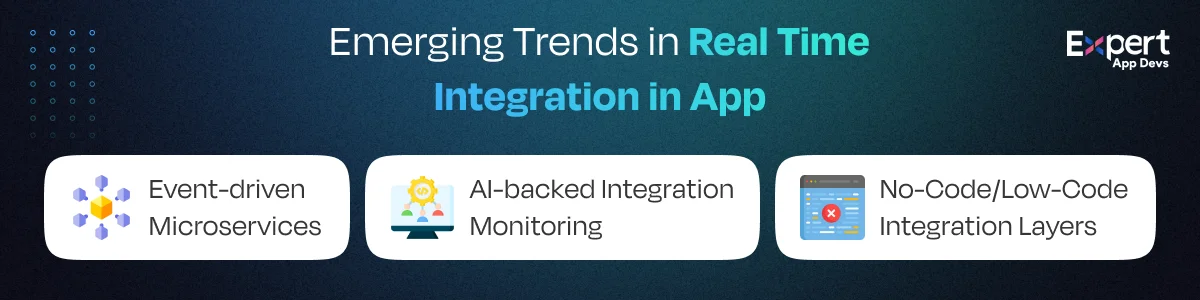
#1. Event-driven Microservices
Clunky batch updates are outdated.
Your mobile backend uses event-driven microservices.
In this case, every action, whether it is a new order or login, needs an instant response from the system.
It helps you build a more responsive and scalable application without overloading systems.
#2. AI-backed Integration Monitoring
You must validate that the complex and real-time API integration is error-free.
Using AI-backed monitoring tools, you can identify the issues and predict failures early.
These tools recommend fixes and automate routine troubleshooting.
Eventually, it will help you save time and maintain seamless user experience.
#3. No-Code/Low-Code Integration Layers
You no longer need to depend on a developer to make integration accessible.
Using low-code and no-code tools, your teams can create workflows and sync applications to speed up delivery without investing in heavy coding.
For example, when a mid-sized retail startup started using event-driven microservices to connect their shopping app to the warehouse inventory system, they noticed that stock levels were updated across the website and application immediately.
By adding AI to the mix, they were able to identify potential downtime ahead of time and reduce its impact on shoppers.
Eventually, they managed to cut down resolution time by 60% and increase customer satisfaction.
Common Real Time Integration Use-Cases in App Projects
Mobile apps cannot run in isolation; they need a modern backend system with API plumbing for you get the real value.
Real-time integrations help sync customer data and establish mobile-friendly dashboards for smooth workflows.
Here are all the real-world region-wise use cases for real-time integrations.
France: CRM extensions (Salesforce → mobile)
Most French enterprises rely on Salesforce for customer management.
However, their teams require this power on-the-go.
That’s why real-time integration is useful.
It can help extend their CRM data into mobile apps, allowing sales representatives to update opportunities, log calls and access data immediately.
The push sync allows actions in the field to reflect within Salesforce in real-time, thus reducing manual data entry requirements.
Italy: Finance dashboards + ERP
Manufacturing and retail businesses in Italy needed financial data on their fingertips.
When they connected the ERP with mobile dashboards, the CFOs and managers could track expenses, approvals and forecasts in real-time.
With this integration, they were able to reduce decision-making delays and offer financial leaders a complete picture of their data.
Panama: Legacy systems to modern UI
Most organizations in Panama operate using legacy platforms.
With mobile integrations, they were able to close the gap between old systems and latest applications.
This allowed the employees to access data using their mobile interfaces.
This proved to be cost-effective, as enterprises could modernize without adding to their costs.
Finland: IoT to mobile sync for logistics
IoT integration helped Finland manage their logistics segment.
Using fleet sensors and warehouse trackers, they were able to feed real-time data into mobile applications.
This data allows route optimization, package tracking and predictive maintenance.
With mobile sync, they can respond to on-the-ground changes as well.
Challenges in Real-time Integration in App
While real-time integration is exciting, it comes with a lot of challenges.
Here are a few challenges you cannot ignore as a consultant or system integrator.
#1. Managing High Concurrency
When multiple users try to access the application simultaneously, concurrency can become your biggest issue.
In this case, every click, login and transaction must sync instantly without slowing your system.
If you don’t have the right architecture to support this concurrency, your app may crash or deliver lagged experiences.
#2. Multi-Region Data Sync with Proper Compliance
It is not enough to sync your data; you must take a proper legal approach to accomplish it.
In different regions or industries, there are specific guidelines that dictate how and where your data can be stored.
To establish real-time sync across regions, you must adhere to the local compliance laws.
This can be risky, and requires cloud deployments with strong encryption.
#3. Managing API Versioning
APIs evolve continuously.
However, your integration can break if the APIs aren’t updated during sync.
When you are managing multiple APIs across different systems and applications, providing seamless updates for users can be a task.
You also need to ensure backward compatibility across systems that run on older systems.
You can accomplish this by using smart versioning strategies and rigorous testing approaches.
In short, real-time integration is powerful.
However, you need to invest in careful planning for compliance, API stability and scalability to provide a smooth and future-proof solution.
Tools for Real-Time Data Sync in Mobile Apps
You need to adopt the right tools to achieve real-time data sync for your enterprise solutions.
Whether you are streaming high-volume events or pushing quick updates, the right technology can enhance your users’ mobile experience.
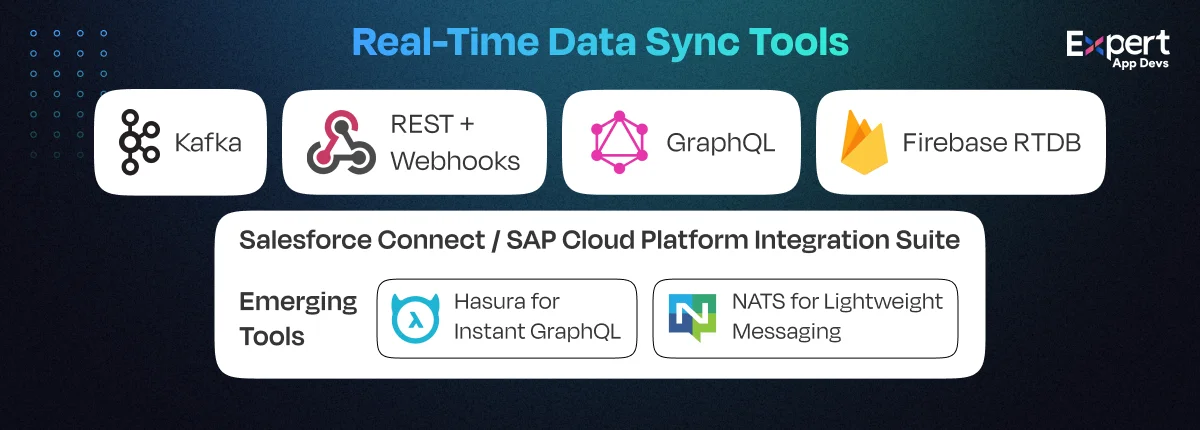
#1. Kafka
This is useful when you are processing events at scale.
It can easily handle massive data streams with low latency to let updates flow smoothly and reliably.
You need expertise to set this tool up; however, it can easily synchronize the backend changes across multiple services once it is initiated.
You can use this tool to stream user activity logs from mobile apps, multiple analytics and backend systems concurrently.
#2. REST + Webhooks
REST is perfect for querying, while webhooks can assist with event-driven updates.
This combo lets you pull data when you need it and push updates instantly.
You can use it to debug. Additionally, it works with all types of backend virtually.
It is mostly used to send out real-time order alerts from the backend to the delivery driver’s application.
#3. GraphQL
Avoid over-fetching and guesswork by investing in this tool.
Your mobile client will fetch the data the user requires at the moment.
This tool ensures your app is updated in real-time and synced to the specific UI needs.
#4. Firebase RTDB
This tool is ideal for MVPs and quick builds.
You can handle WebSocket-powered sync with offline caching and auth out of the box without the backend.
It is the best fit for real-time feature updates. You can ensure app swiftness with this tool.
#5. Salesforce Connect / SAP Cloud Platform Integration Suite
Enterprise-grade tools can help sync data in real-time between mobile apps and large-scale systems like CRM or ERP.
You can use them to improve security protocols and provide robust connectors for your complex legacy systems.
This tool can help mobile field applications sync customer service updates to Salesforce.
Emerging Tools to Watch Out For
In the fast-changing integration landscape, you must stay ahead.
For this, you should embrace innovations that can speed up development and simplify the integrations.
#1. Hasura for Instant GraphQL
With Hasura, you can create real-time GraphQL APIs within minutes from your database.
It provides subscriptions and in-build access control. Owing to the need for reduced backend complexity and faster API delivery, the adoption of this tool has grown by 150% year-on-year.
#2. NATS for Lightweight Messaging
It is a simple and high-performance messaging system that prioritizes microservices and IoT.
It is lightweight, easy to deploy and offers extremely low latency.
It helps build fast backends with efficient message routing.
Real-Time Integration Project Best Practices for Consultants
You need to incorporate best practices along with real-time integration tools to create stable and scalable systems that improve user satisfaction.
Here are three proven approaches that you must embrace for real-time app integration projects.
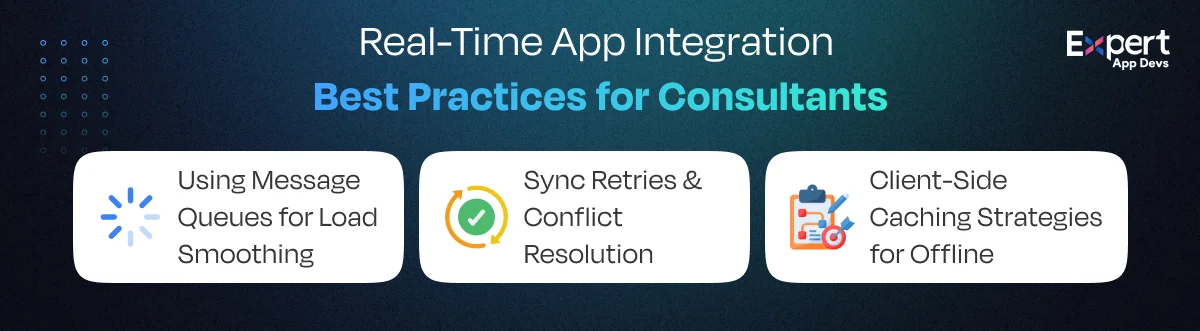
#1. Using Message Queues for Load Smoothing
Your app can get overwhelmed when there is an increase in traffic.
By opting for message queues like RabbitMQ or Kafka, you can even out the load by holding the requests temporarily and releasing them in manageable chunks.
As a result, a single service is not flooded with requests.
Additionally, your users will get quick responses without the app slowdown.
#2. Sync Retries & Conflict Resolution
Real-time sync may not be completely perfect.
You may experience a connection drop or two of your users may update the same data simultaneously.
That’s why you must implement retry logic along with conflict resolution.
Smart systems will automatically retry failed syncs that can help decide which data wins when a conflict occurs.
If you set these rules from the start, you will reduce the tediousness in your workflow.
#3. Client-Side Caching Strategies for Offline
Your mobile app cannot rely on perfect connectivity.
You must ensure that the data is accessible even when your app is offline and offers sync back when the network is available.
You can use frameworks like Firebase or Apollo to offer users a seamless experience.
You need to provide an offline-first design, especially for logistics, healthcare and field services industry.
API Gateway Showdown: AWS API Gateway vs. Azure API Management
If you want to manage APIs at scale, you can either go with AWS API Gateway or Azure API Management.
We will take a look at how they differ and the features they offer.
When it comes to managing APIs at scale, two names dominate the conversation: AWS API Gateway and Azure API Management.
Let’s break down how they stack up and which one makes sense for different client needs.
#1. AWS API Gateway
You must use the AWS API Gateway design to build apps using AWS.
This gateway is designed to simplify API management for mobile and serverless applications.
You can use it to create, publish, monitor and secure the APIs in a few clicks without complex server setup.
Its biggest strength is that it can easily integrate with the other AWS services like Lambda, DynamoDB and CloudWatch.
It helps you build an end-to-end backend that is powered by AWS to ensure all systems work together.
It also offers scalability.
If you are handling a few hundred to a million requests, it can scale the gateway automatically to match your needs.
It also supports REST, HTTP and WebSocket APIs to offer flexibility along with diverse integration styles like CRUD.
You can use the pay-as-you-go option, which helps you manage costs with increasing traffic.
AWS API Gateway should be your go-to choice if you are using an AWS ecosystem and need a reliable tool.
#2. Azure API Management
Microsoft’s Azure API Management is your answer to all API gateway issues you are facing.
It is a developer-focused tool that prioritizes governance, security and enterprise-scale management.
You can use it if you want robust API governance in your application or when working with Azure.
Along with publishing the APIs, you can also apply policies like throttling, caching and IP filtering with this API management.
The developer portal allows client teams a totally branded space to test and subscribe to APIs.
It provides smooth integration with other Azure services like Logic Apps, Functions and Service Bus.
You can easily use a hybrid environment that is crucial for regions operating with strict compliance.
Azure API Management is a must for enterprise clients who emphasize governance, compliance and developer collaboration.
|
Features |
AWS API Gateway |
Azure API Management |
|
Protocols |
REST, WebSocket |
REST, SOAP, WebSocket |
|
Rate Limits |
Yes (Lambda-based) |
Yes (native rules) |
|
Caching |
Yes |
Yes |
|
Analytics |
CloudWatch |
Azure Monitor |
|
Pricing |
Per million calls |
Tiered flat rate |
How to Hire Offshore Team for Real Time Integration Projects?
When you get offshore talent for integration projects, it can make you agile and increase team strength.
Additionally, it helps you enhance your skillsets while staying cost-effective.
However, integration success depends on choosing the right mix of specialists for the project.
#1. API Architects
Hiring API architects can help set the foundation for successful integrations.
They help plan microservices, configure gateways and define the strategies to prevent risks and issues.
They help connect systems while adding secure, scalable and future-ready APIs.
Offshore specialists bring to the table their experience of working with multiple ecosystems making them valuable for hybrid projects.
Their guidance will ensure smooth integration and seamless evolution.
#2. Backend Developers
These developers are responsible for the core integration logic development that helps systems connect with each other.
They are skilled in NodeJS, .NET and Java which helps them build middleware, connectors and data transformation layers.
The offshore development teams can scale quickly, handle all aspects, like microservices and enterprise-grade pipelines.
With the right developer, you can optimize the application for performance, manage error recovery and integrate APIs.
They will help translate the architectural blueprints into reliable code.
#3. QA Engineers
They are guardians of the integration project.
From running load testing to fuzzing and regression checks, they make sure the APIs perform consistently, even when there is heavy traffic.
The offshore development teams introduce structure along with automated test frameworks and CI integrations.
This helps catch issues early, even before they impact production.
It also helps simulate real-world edge cases, violate the response time and ensure integration works stably over time.
They will eventually help reduce downtime and maintain user trust.
API load testing, fuzzing, and performance regression.
#4. DevOps
DevOps engineers can help build, deliver and maintain APIs reliably.
By setting up CI/CD pipelines, they automate deployments, configure monitoring tools like ELK and manage observability across environments.
Offshore development teams deliver efficiency by standardizing environments, reducing deployment errors and ensuring quick rollbacks.
They can bridge the gap between development and operations to ensure integrations run smoothly 24/7.
Engagement Model: Phased Delivery vs. Full-Stack Outsourcing
It is equally important for you to choose the right engagement tools for your real-time integration project.
Here are the two most commonly recommended approaches for you that guarantee success. Let’s understand each one in detail.
#1. Phased Delivery
In this approach, the integration project is broken into smaller, more manageable stages.
You collaborate with your offshore app team to tackle each aspect, such as API gateway setup and data sync, at a time.
You reduce risk, offer better project visibility and allow mid-course adjustments with this approach.
It is best suited for complex projects where the requirements evolve and budgets must be spread out over time.
#2. Full-Stack Outsourcing
In this approach, you hand over all aspects of integration, from architecture to QA and DevOps to a single dedicated offshore development team.
Using the Full-Stack Outsourcing team model, you can accelerate delivery as the single team is responsible for the full development lifecycle.
This will help eliminate handoff delays between vendors.
You can use this approach when working with clients who have clear requirements and require high-speed delivery.
You are responsible for governance and monitoring KPIs so that the offshore team is aligned with the business goals.
|
Model |
Use Case |
Pros |
Considerations |
|
Phased |
Legacy-to-mobile MVP |
Controlled risk, flexible team scaling |
Needs strong PM on consultant side |
|
Full-Stack |
New CRM apps with live sync |
One team, end-to-end coverage |
Higher upfront planning effort |
Case Study: Panama Consultant Modernizes Legacy CRM via Mobile App
A consultant helped a Panama-based bank modernize their legacy CRM with a mobile app to move beyond the restrictions set by the existing system.
The bank had a legacy CRM system that was locked to their desktop.
As a result, the field agents didn’t have access to the data. It slowed down their customer interactions, approvals and data updates.
Eventually, it led to a bottleneck in their operations.
The consultant designed a modern architecture using NodeJS API layer that would expose the data from CRM securely.
Using React Native frontend, it gave full access to the agents. They used Redis to manage the caching, enabling faster responses.
The complete stack comprises of Azure API Gateway, PostgreSQL, Redis, NodeJS API layer and React Native.
As a result, the field operations grew 76% faster as the executives could access data in real-time.
The bank also managed to get a new revenue stream by introducing mobile-only features.
Top Strategies for Performance Monitoring and Troubleshooting in Real-Time Integration in an App Project
You may commit mistakes during app integrations if you don’t look into performance issues.
With real-time monitoring and proactive troubleshooting, you can maintain the system’s reliability.
Here are a few strategies to help consultants manage monitoring and troubleshooting.
#1. End-to-end API Monitoring
It isn’t enough to validate if the API is up and running.
You must also track its response time, error rate and payload size across endpoints.
Using app development tools like Postman, Monitoring and Datalog, you get complete visibility into the bottlenecks.
You can even spot the slow endpoints before they impact your app users.
#2. Log Aggregation
Logs are data mines, but only when they are centralized.
You can use stacks like ElasticSearch, Logstash and Kibana to bring all data logs in a single place.
This will help you detect the patterns quickly.
When you combine this with observability tools like Prometheus, you can get dashboards that highlight the latency spikes or message drops.
#3. Automated Alerts and Anomaly Detection
Performance issues in your integration come unannounced.
That’s why you need an AI-backed anomaly detection that flags the unusual traffic or error patterns you are likely to miss.
By configuring smart alerts, you can notify the teams instantly before the app experiences downtime.
#4. Root Cause Analysis and Resilience Testing
Troubleshooting allows you to find why things are broken in your app and fix it.
Using root cause analysis, you can prevent repetitive issues.
Resilience testing, on the other hand, ensures the systems can handle stress. Combining the two, you can strengthen your integrations.
Frequently Asked Questions on Real-Time Integration in App
#1. Which API tools support real-time data sync in mobile apps?
Kafka for event streaming, Firebase Realtime Database for MVPS and GraphQL with subscriptions to simplify workflows are popular API support tools.
#2. Is Kafka overkill for a mobile CRM app?
Yes, it can be overkill for a mobile CRM app. However, if you are dealing with massive event streams, you should go with this tool.
In case of light workflows or data streams, use REST webhooks and Firebase.
#3. What’s the easiest way to monitor API errors in a mobile backend?
Datalog, Postman Monitoring or ELK stack dashboard provides quick visibility into error rates and performance bottlenecks in your API.
#4. Do I need GraphQL or REST for modern integrations?
You can use any one of these for your integration.
REST is simple and has a good support system. GraphQL, on the other hand, provides efficient data queries.
#5. What team roles should I hire for app integrations?
You should hire API architects, backend developers and DevOps specialists to ensure your integrations are stable and scalable.
Conclusion
Real-time integration is crucial for a modernized mobile experience.
It helps sync your CRM and ERPs with mobile solutions while upgrading legacy systems.
You will play a critical role in determining the right tools, planning the team model and engagement strategies to ensure smooth integration workflows.
Using scalable architectures and smart monitoring, you can even achieve complex integrations smoothly.
By partnering with the right offshore development companies, you can turn all your integration challenges into opportunities for scale and speed.
Expert App Devs offers professional mobile app development services across Android, iOS, Flutter, React Native, and other cross-platform technologies.
We deliver high-performance native and hybrid mobile solutions tailored for startups and enterprises.
In addition to end-to-end development, we provide a full range of application services, including maintenance, support and ready-made solutions to clients in North America, Europe, the Middle East, and Oceania through strategic outsourcing from India.
We also welcome new consultants from these regions to partner with us and explore collaborative opportunities.





 360
360

 0
0


 951
0
951
0
 681
2
681
2
 651
14
651
14