


Ready to transform your vision into reality?
Get Started
Swift vs Flutter - Which is Better for Your Next iOS Application?

 192
192
 0
17 Aug 2022
30 Min Read
0
17 Aug 2022
30 Min Read


 Share
Share

 Download PDF
Behind every successful application lies a robust development approach, strong coding methods, and the ideal technology stack. The programming language used to code the business application is one of the biggest rocks supporting your business's mobile app development requirements.
In iOS app development, you should give equal importance must be given to application performance, quality, scalability, security, and Apple App Store compliance. Choosing a technology that balances intuitive frontend experiences with a stable and secure backend foundation is essential.
Swift is Apple’s official programming language for native iOS development, while Flutter is Google’s open-source UI framework designed to build visually consistent, cross-platform applications using a single codebase. Over the years, both have evolved significantly and continue to compete for developer attention and adoption within modern tech stacks.
This blog explores the key features of Swift and Flutter and presents a detailed comparative analysis of Swift vs Flutter to help you decide which technology works best for specific business scenarios.
What is Swift?
Swift is a modern, high-level programming language developed by Apple in collaboration with the open-source community. It is a general-purpose, multi-paradigm language designed to work seamlessly with Apple frameworks such as Cocoa, Cocoa Touch, and SwiftUI.
Swift supports advanced programming concepts such as protocol-oriented programming, generics, structured concurrency, dynamic dispatch, and compile-time safety checks. As of now, Swift 5.10+ is production-stable, with Swift 6 introducing stricter concurrency safety, improved compiler diagnostics, macros, and better performance optimizations.
Initially introduced as a replacement for Objective-C, Swift has matured into a highly reliable and scalable language that improves developer productivity while ensuring performance, security, and long-term maintainability across Apple platforms.
Key Features of Swift
Check out the key features of this programming language that will help you understand its abilities better.
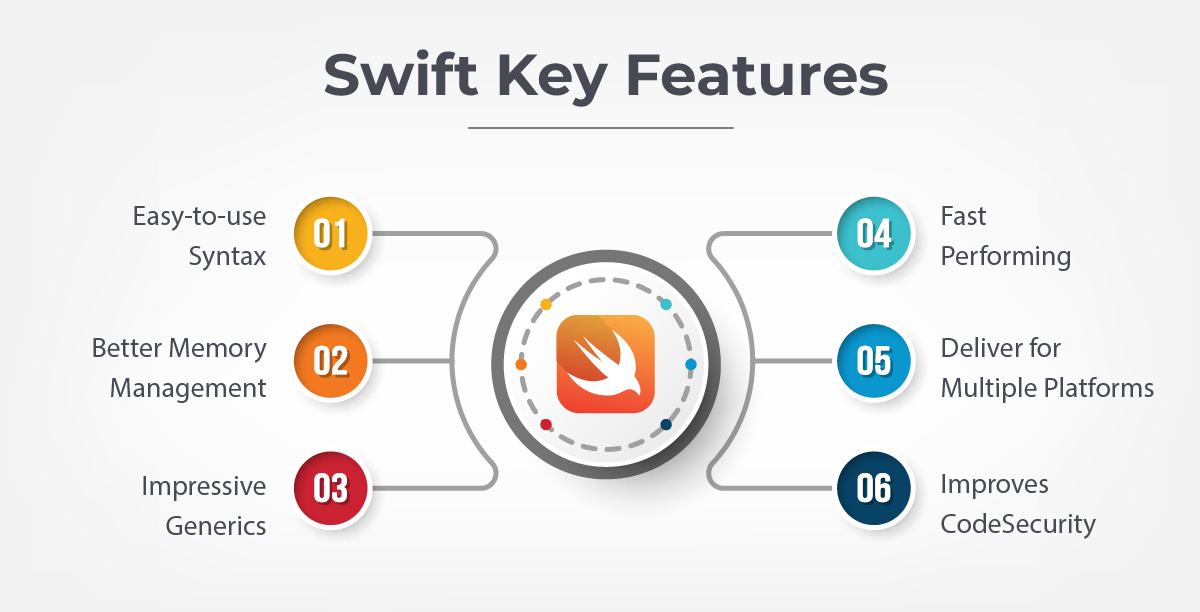
- Easy-to-use Syntax: Swift offers clean, expressive, and readable syntax. Developers can write complex logic with fewer lines of code, making applications easier to maintain and scale.
- Better Memory Management: Swift uses Automatic Reference Counting (ARC), significantly reducing memory leaks and runtime crashes. Modern compiler checks help identify memory-related issues during development.
- Powerful Generics & Protocols: Swift’s generics and protocol-oriented programming allow developers to write reusable, modular, and flexible code ideal for enterprise-scale applications.
- High Performance: Swift compiles directly to optimized native machine code using LLVM. With modern concurrency features (async/await, actors), Swift delivers excellent runtime performance with reduced threading complexity.
- Multi-Platform Apple Support: Swift supports iOS, iPadOS, macOS, watchOS, tvOS, visionOS, and Linux (for server-side Swift), making it ideal for Apple-centric ecosystems.
- Strong Security: Swift eliminates entire classes of bugs using type safety, optional handling, bounds checking, and memory safety enforcement, making it one of the most secure mobile programming languages.
Pros and Cons of Swift
| Pros | Cons |
|---|---|
| Native performance and direct access to Apple APIs | Limited to Apple ecosystems |
| Strong compiler-level safety and security | Not suitable for Android or web apps |
| Mature ecosystem with SwiftUI and Combine | Requires macOS and Xcode |
| Ideal for AR, ML, VisionOS, and system-level features | Higher cost for multi-platform apps |
| Large, experienced iOS developer base | - |

What is Flutter?
Flutter is an open-source UI framework developed by Google that enables developers to build applications for iOS, Android, Web, Windows, macOS, and Linux using a single codebase.
Flutter uses the Dart programming language (Dart 3.x) and its own high-performance rendering engine (Impeller). By controlling every pixel on the screen, Flutter ensures consistent UI, smooth animations, and predictable performance across platforms.
Flutter has become a stable, enterprise-ready framework adopted by startups and global organizations for cost-effective, multi-platform application development.
Key Features of Flutter
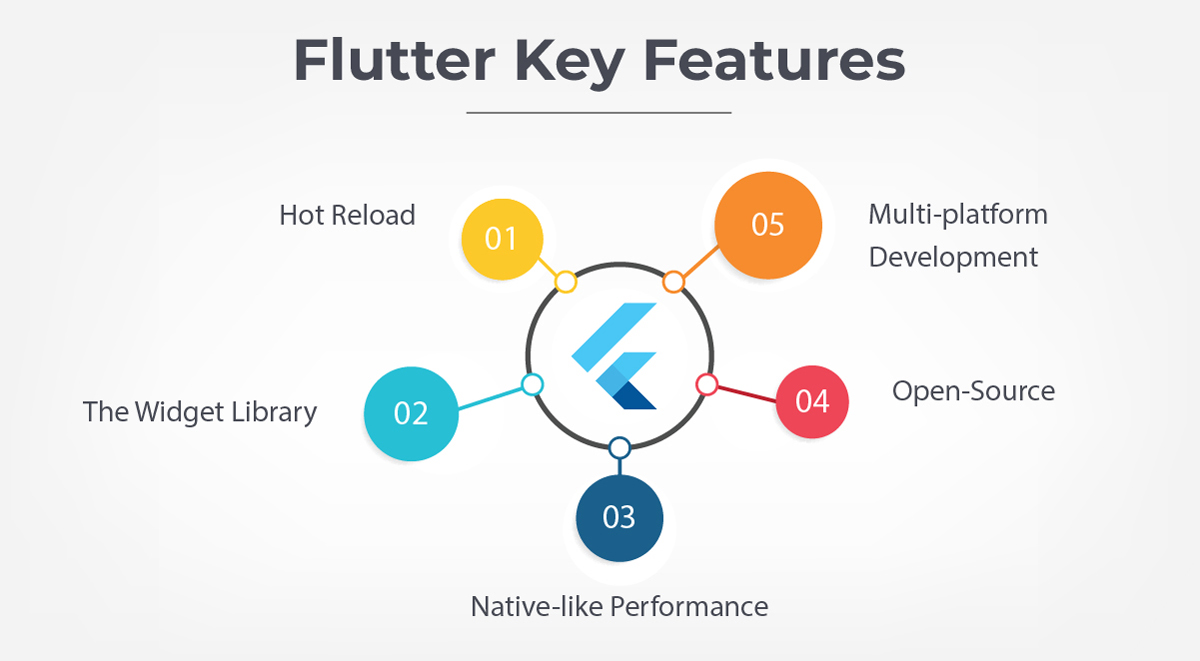
- Hot Reload: Developers can see UI and logic changes instantly without restarting the app, significantly accelerating development and experimentation.
- The Widget Library: Flutter provides a comprehensive set of reusable and customizable widgets (Material and Cupertino), enabling rapid UI development without starting from scratch.
- Native-like Performance: Flutter compiles to native ARM code and uses GPU-accelerated rendering, delivering smooth animations and performance close to native apps.
- Open-Source & Google-Backed: Flutter benefits from strong Google support, transparent development, and a large global developer community.
- True Multi-platform Development: Flutter supports mobile, web, desktop, foldables, and large-screen devices from a single codebase.
A quick look a the pros and cons of Flutter to know when you should hire Flutter developer for your business app.
Pros and Cons of Flutter
| Pros | Cons |
|---|---|
| Faster development with one codebase | App size larger than native |
| Lower development and maintenance cost | Limited for graphics-heavy gaming |
| Consistent UI across platforms | Deep native features need plugins |
| Excellent documentation and tooling | Some OS updates lag behind native |
| Large and growing global community | - |

Comparison between Swift and Flutter for iOS
Check out all the points that help compare Swift vs Flutter to help identify the framework for your requirements
1. App Launch
| Swift | Flutter |
| You need to develop every element of the UI and UX from scratch. Additionally, if the company requires a multi-platform application, you need to spend time and resources on developing the Android application. | With a single codebase and inherent widgets, you can deliver applications for iOS and Android simultaneously. It combines with the IDEs (Android Studio and IntelliJ IDEA), which allows smooth development and deployment of applications. |
Winner: Flutter
Explanation: Flutter enables faster MVP launches across iOS and Android using a single team and codebase. As it can develop applications for iOS and Android simultaneously with minimal effort and maximum outcome, you can get the basic version out within a few weeks. You can then keep adding features, which help get an edge over the competition. It is best to hire Flutter developer if you want to accelerate the app launch.
2. Plugins and Code Reusability
| Swift | Flutter |
| Swift allows reusing the functions within the same logic for coding. It doesn’t allow the reusability of the code or plugin to develop applications for another platform. | Flutter is known for code and plugin reusability. You can create a single codebase and run it across Windows, Android, Linux, and other platforms |
Winner: Flutter
Explanation: Flutter excels at cross-platform code reuse, while Swift remains Apple-specific. With a single codebase, you can create winning web and mobile applications for multiple platforms, while keeping the performance, quality, and native-like appeal intact. Hire Flutter developer for better reusability and simple app development.
3. Development Speed
| Swift | Flutter |
| As it is a native language, it is guaranteed to be faster. The major reason is the clean build that comes with native languages | The build time, as well as the overall startup, is low with Flutter. It is equally competitive in speed with native languages |
Winner: Flutter
Explanation: Hot reload and shared UI components significantly reduce development time. Apart from clean builds, the underlying Dart engine proves to be a boon for Flutter. It offers the exceptional speed that the iOS or Android app needs when starting up. Hire Flutter developer if you want to increase the speed of development.
4. Performance
| Swift | Flutter |
| You can build clean, fast, and reliable applications with Swift that don’t compromise on quality or performance | Flutter offers a native-like performance throughout as it is more like a natively-coded language. The pre-set effects and animation packages make it easier to build a native-like interface |
Winner: Swift
Explanation: Native execution and direct hardware access give Swift an edge in performance-critical apps. It is a native programming language that follows the syntax and design guidelines directed for iOS. As a result, it will deliver more quality and performance.
5. Market Popularity
| Swift | Flutter |
| Only 4% of developers use Swift for programming their software solutions (Statista). Moreover, Swift has 55k stars on Github, a popular developer community | At this moment, Flutter is the most popular framework. It is regarded among the top three by Stackoverflow and has 118k stars on Github |
Winner: Flutter
Explanation: Flutter remains one of the most widely used cross-platform frameworks globally, while Swift dominates Apple-only development. With more developer support, better UI abilities, and thorough documentation, it is definitely more popular for app development as compared to Swift. It allows developers to create applications for multiple platforms simultaneously. Hire Flutter developers as they are more accessible and easy to hire.
6. Native App Development
| Swift | Flutter |
| Swift is a native programming language, specifically devised for iOS. The components and elements are guided by the Apple community | Flutter is a native-like multi-platform development platform. It comprises widgets and elements that can combine with native elements to deliver native performance and appeal |
Winner: Swift
Explanation: Swift is purpose-built for iOS and integrates seamlessly with Apple SDKs. As it is a native language, it comes with all the pre-designed elements that make the syntax smooth and efficient. Flutter, on the other hand, would need to integrate third-party programs and components to make the code appear native-like.
7. The User Interface
| Swift | Flutter |
| With this programming language, you can create an iOS-specific interface. The UX elements will be native. As a result, it is easier to develop the interface elements with Swift. However, you will need to develop all UI/UX elements from scratch | Flutter uses the widget system, where there is a widget for every interface and experience element. You won’t need the support of native programming languages to enable these interface elements. As a result, they appear native-like. |
Winner: Flutter
Explanation: Flutter’s widget-based UI reduces development effort while maintaining native-like appearance. You don’t need to develop the native-like UI/UX elements from scratch, which saves a lot of your time. Additionally, the elements appear to be similar to how they would if developed using native programming languages. So, clearly, the winner is Flutter in Swift vs Flutter.
8. Build Time
| Swift | Flutter |
| Swift allows developers to code fast. It may take slightly more time when reflect the errors and fix bugs, which eventually reduces the build time | Flutter allows you to develop apps real quick with UI widgets and tools. Moreover, with hot reload, you can add new features easily. The Flutter syntax allows users to write code using fewer lines as compared to native languages |
Winner: Flutter
Explanation: Hot reload and declarative UI reduce iteration and build cycles. Most of the heavy lifting is done by Swift in the case of iOS while, it is done by the framework and its UI in the case of Flutter. In Swift vs Flutter, you will be able to develop apps faster with Flutter.
9. Community and Support
| Swift | Flutter |
| Swift is specific to iOS and Apple forums. It does have a presence on Stackoverflow and Github. However, the community is restricted and the support extended is limited to certain spaces | Flutter was developed by Google. As a result, you will find its developer community across the forums and spaces |
Winner: Flutter
Explanation: Flutter benefits from a larger global community and Google backing. As it is an open-source framework developed by Google, it enjoys more community support and establishments than Swift.
10. Cost
| Swift | Flutter |
| Swift allows you to develop apps for iOS alone; if you want to develop applications for Android, you will need to use a separate programming language and team | Flutter allows you to develop applications for both Android and iOS simultaneously. As a result, you can use a single codebase and team to release apps on multiple platforms |
Winner: Flutter
Explanation: Single team and shared codebase reduce overall development cost. You don’t need to invest in separate resources, teams or tools to develop applications for Android and iOS.
11. Developers' Availability
| Swift | Flutter |
| Swift is a popular programming language among developers. A good number of app builders use this language. | Dart, the underlying programming language for the framework, is not much popular among developers. You will find fewer developers who would be available to work with Dart |
Winner: Swift
Explanation: Flutter developers are widely available globally, while Swift developers are more specialized. As it is a slightly mature language when compared to Dart, and preferred among iOS developers, it is easier to find Swift developers for your requirements.
12. App Size
| Swift | Flutter |
| The native app is derived from XCode or CI server. It is in the .app format. The application size is relatively large compared to the Android | The artifact for Flutter is derived from the build directory, which makes it appear slightly heavier |
Winner: swift
Explanation: Swift apps are lighter due to native binaries and system frameworks. The swift apps are relatively lighter and the bandwidth occupied is less compared to Flutter. You should go with the iOS app development service if you want to reduce the size.
13. Testing
| Swift | Flutter |
| Swift uses Apple’s testing framework XCTest for unit, performance, and other app testing requirements. You can perform a range of tests, including beta testing of the application. | Flutter ensures that the coding is simple, clean, and readable right from the start. There is an in-built testing framework that enables quick and easy testing. Whether you want to perform unit or load testing, the framework has all the capabilities. |
Winner: Both
Explanation: Both offer mature and reliable testing frameworks. Both Swift and Flutter offer excellent testing capabilities that allow you to ensure quality and high-performing app solutions.
14. Security
| Swift | Flutter |
| Apple is known for its security and layering the syntaxes to keep data safe | Flutter is secure and minded by Google. However, being open-source and with fewer guidelines, the community is free to will their way into the source code |
Winner: Swift
Explanation: Apple’s strict platform guidelines and native security APIs give Swift an advantage. The syntax is better with Swift, and encrypted. It is driven by Apple guidelines, which is why changes cannot be made with ease to its features. You should hire Swift developer to induce better security in your application.
15. Upgradation
| Swift | Flutter |
| As soon as iOS is upgraded, Swift will follow the version update and streamline the coding accordingly | As Flutter is a framework, the updates may not reflect immediately on this platform |
Winner: Swift
Explanation: Swift receives immediate support for new iOS releases. Being a native language, it gets the version updates and upgrades immediately when compared to Flutter. If you want instant updates and better upgrades, hire Swift developer for your next application.
16. Use Cases
| Swift | Flutter |
| Swift can be used to develop varied types of apps across industries. You can create advanced and complex logic using this language. It can be used for advanced gaming apps too | Flutter can be used to deliver complex applications across industries. However, owing to the size and other limitations expressed by Dart, it cannot be used for advanced gaming solutions |
Winner: Swift
Explanation: Better suited for advanced logic, gaming, AR/ML, and enterprise-grade apps. Swift can be used for advanced gaming and regular mobile applications. Owing to its security, it can even be used for complex enterprise mobility solutions.
17. Top Apps
| Swift | Flutter |
| SlideShare Eventbrite Airbnb |
Google Ads Square Alibaba eBay BMW |
Frequently Asked Questions
1. How to choose a programming language for your app development needs?
When choosing a programming language for your requirements, consider the following factors
- The development and execution speed of the syntax
- Availability and accessibility of the developers
- Futuristic coding possibilities
- Robustness and reliability
2. What is the process to hire Swift developer for the next business app?
The step-wise process to hire Swift developers for your next business app
| Step | Explanation |
| Referral or Research | Check for reliable developers in your network; if you are unable to find them, look for them on the Internet |
| Validate them | Check for their experience, expertise, and relevant portfolio to know if they are capable. Shortlist based on results |
| Background Verification | Check for their license, qualification, and other aspects to make sure they are perfect for your needs |
| Consultation | Before hiring them, make sure you go with a one-on-one consultation to check their abilities and the services they are willing to offer. |
3. Which is better React Native, Flutter or Swift?
Flutter vs React Native can be used for cross-platform app development while Swift offers iOS-only development. Between Flutter and React Native, RN offers more native-like interfaces while Flutter provides more robust and reliable solutions.
There are plenty of differences between Flutter vs Swift vs React Native. Swift is better if you want to deliver solutions for iPhone, iPad or other Apple devices. React Native is better if you want to create MVPs or basic app solutions. However, if you want to deliver high-performing apps, go with Flutter.
4. Is Dart easier than Swift?
Swift is a mature language that offers accessibility and better integration with native components. The learning curve for both languages is almost similar. They offer different opportunities to the developer and help deliver capable app solutions. Dart is easy to execute through the Flutter framework and helps provide Android and iOS apps simultaneously. Depending on the requirement, you can hire Swift developer or a Flutter development team.
Conclusion
When comparing Swift vs Flutter, the decision depends on business goals, timeline, budget, and platform requirements.
Swift remains the best choice for high-performance, secure, and Apple-centric applications, especially those leveraging AR, ML, VisionOS, or deep system-level integrations. Flutter, on the other hand, excels in speed-to-market, cost efficiency, and cross-platform consistency, making it ideal for startups and rapidly scaling products.
At Expert App Devs, we evaluate every project’s technical and business needs before selecting Swift, Flutter, or a hybrid approach. As a leading iOS and cross-platform app development company, we deliver scalable, future-ready solutions using the most suitable technology stack.
If you’re planning your next mobile application, hire Swift developers or a Flutter development team by filling out our contact form. Our experts will help you choose the right approach for long-term success.





 0
0

 0
0


 0
0
0
0
 0
0
0
0
 0
0
0
0